
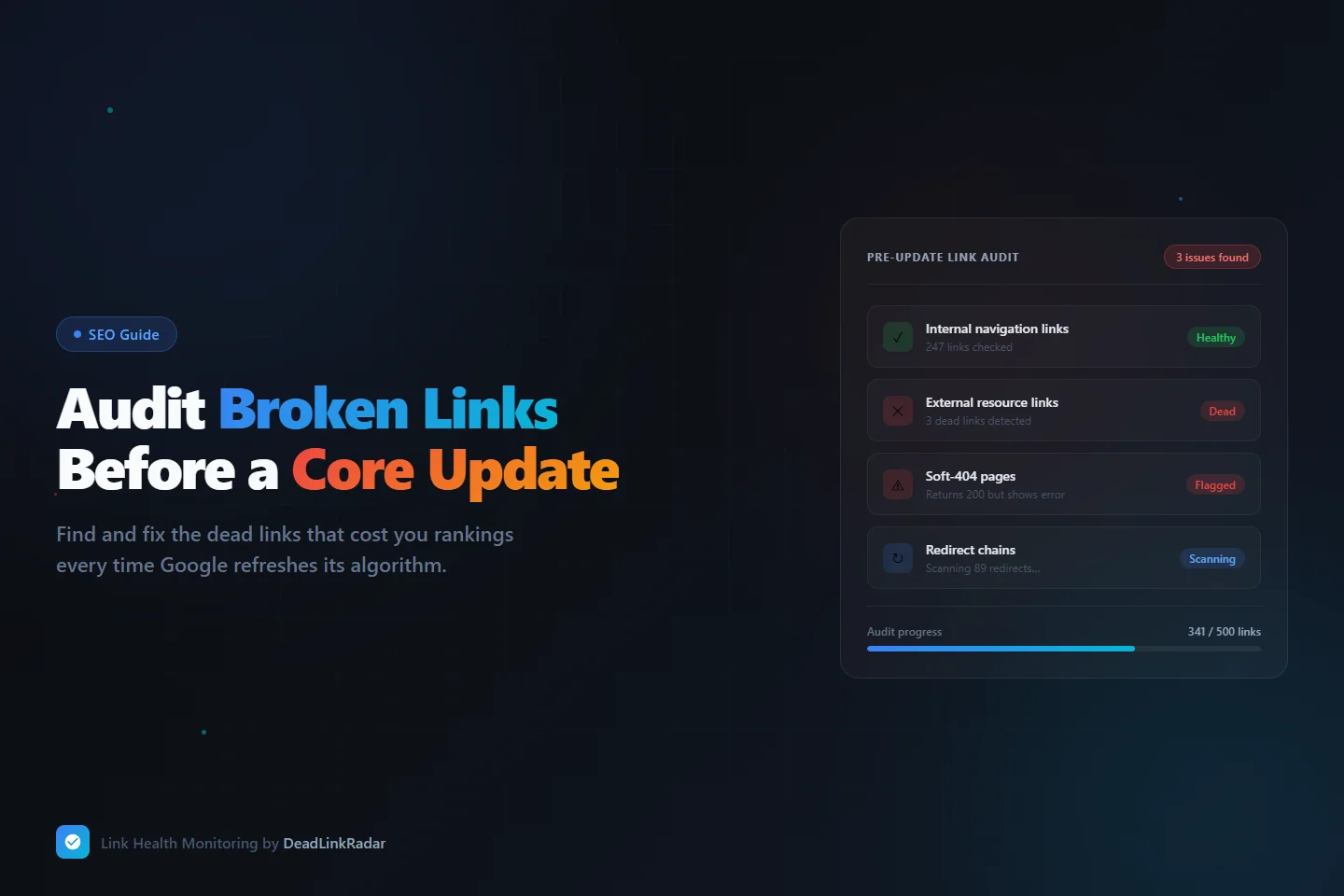
Running a broken link checker before a Google Core Update is one of the highest-return SEO tasks you can complete in under an hour. Broken links are one of the most controllable quality signals on your site — and one of the most commonly ignored. Google releases several core algorithm updates each year, and every one re-evaluates the signals that determine where your pages rank. When a core update lands, it's not just reassessing your content — it's scoring your overall site quality, and a cluster of dead links is a concrete signal that quality has declined.
The problem is that most site owners don't run a broken link audit until after an update has already penalized them. By then, fixing the links won't immediately recover lost rankings — Google has to recrawl, re-index, and re-evaluate before any improvement shows up. Running a broken link audit before an update closes that gap and makes the update work in your favor instead of against you.
This guide walks you through how to find and fix broken links before a Google Core Update lands, what link types to prioritize, and how to set up monitoring so you don't have to scramble before every future update.
Why Broken Links Hurt Your Rankings During Core Updates
Core updates don't target specific pages for punishment — they recalibrate how Google weighs quality signals across an entire domain. When a core update re-evaluates your site, broken links factor into that calculation in two distinct ways.
First, broken links damage user experience. When a visitor clicks a resource you've linked to and lands on a 404 page or an error message, they bounce. Google's algorithms correlate user behavior with page quality. A site with a pattern of dead links reads as poorly maintained, which weighs against you when quality signals are reassessed. This is especially true for external links: linking out to resources that no longer exist signals that your content is stale and not regularly reviewed.
Second, broken internal links fragment your crawl graph. Google's crawlers follow links to discover and index content. If an internal link points to a page that returns an error, that page may be deprioritized or skipped during crawling — particularly on large sites where crawl budget is a real constraint. A core update that triggers a heavy re-crawl of your domain can surface these gaps and reduce the proportion of your content that gets indexed or re-evaluated favorably.
The window before a known or anticipated core update is the most valuable time to run a full broken link audit. Any fixes you make will be factored into the update's quality evaluation if Google recrawls those pages before or during the rollout.
The 4 Types of Broken Links That Affect Core Update Rankings
Not all broken links carry the same weight. Understanding the difference helps you triage correctly and fix the highest-impact issues first.
| Link Type | What It Is | SEO Impact |
|---|---|---|
| Hard 404s | URL returns a 404 status code | High — crawlers mark the destination as unavailable |
| Soft 404s | URL returns 200 but displays an error page | High — misleads crawlers; page is indexed but worthless |
| Redirect chains | URL redirects through 3+ hops before resolving | Medium — adds latency, dilutes link equity at each hop |
| Dead external links | Outbound link to a domain or page that no longer exists | Medium — signals poor content maintenance to Google |
Soft 404s deserve special attention because most broken link checkers miss them entirely. A standard tool checks whether a URL returns a 200 status code — which soft 404s do. The difference is that the page itself says "product not found," "this content has been removed," or "file no longer available." Google reads that content and treats the page as non-functional, even though the server responded normally. DeadLinkRadar's content analysis layer reads the actual page response to catch these cases, not just the status code.
Redirect chains are also commonly underestimated. Three redirects before reaching a destination means three opportunities for a redirect to break in the future, three extra round-trips adding latency for real users, and meaningful dilution of any link equity flowing through that chain. Before a core update, shortening redirect chains to a single hop is one of the highest-ROI link fixes you can make.
Step 1: Use a Broken Link Checker to Import and Scan Your Links
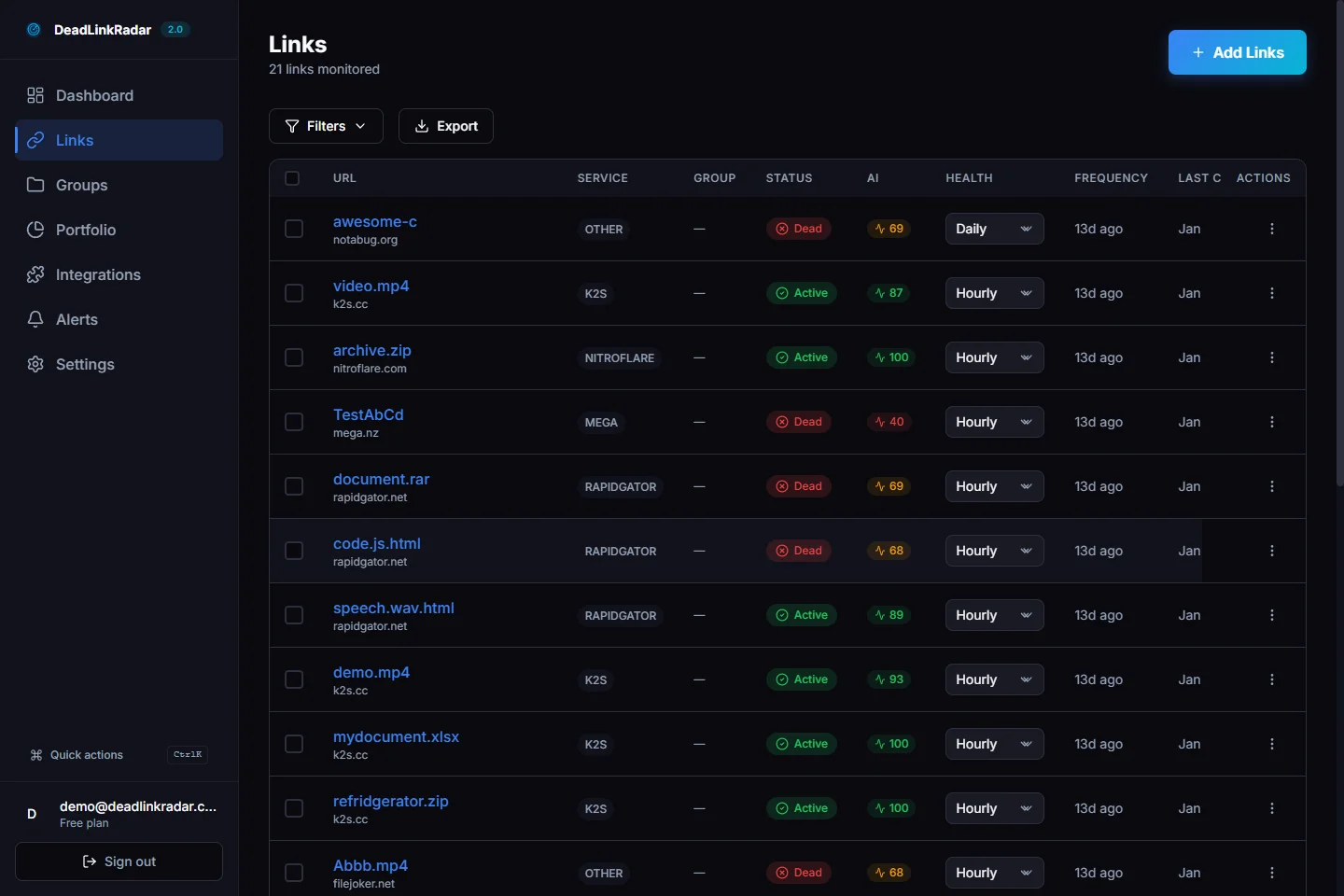
Before you can check for broken links, you need them in one place. DeadLinkRadar lets you import links individually, in bulk from a text file, or via the monitoring integration if you're pulling from a CMS or external platform.
For a pre-update broken link audit, you want to cover three categories of links:
Internal links — pages on your own domain linking to other pages on your domain. These matter most for crawl graph integrity and content indexation. A broken internal link in your main navigation or a popular blog post is your highest-priority fix.
External links — outbound links to third-party resources, tools, research studies, tools, or references you've cited in your content. These affect perceived content quality. A blog post that cites a source that's since gone offline looks unmaintained to Google and to readers.
Aged content links — links buried in older blog posts, documentation, or resource pages that you haven't actively maintained. Link rot is cumulative: the older the content, the higher the probability that some percentage of its links have decayed. A post published three years ago that still receives consistent search traffic but has three broken citations is quietly hurting your quality signal.
Use DeadLinkRadar's bulk import to add all three categories in a single pass. Paste your list of URLs, assign them to a group (for example, "Pre-Update Audit March 2026"), and the system begins checking immediately. You'll see statuses populate in real time as each link is checked and classified.
Step 2: Prioritize Dead Links by Traffic Impact
Once your initial broken link check completes, you'll have a full picture of which links are active, dead, or flagged for issues. Before fixing everything at once, prioritize by where a broken link causes the most damage.
A dead link on a page that gets 500 visitors per month is significantly more costly than the same broken link on a page with 20 monthly visitors. The high-traffic page is the one Google is evaluating most heavily, the one real users are encountering, and the one with the most to lose from poor signals.
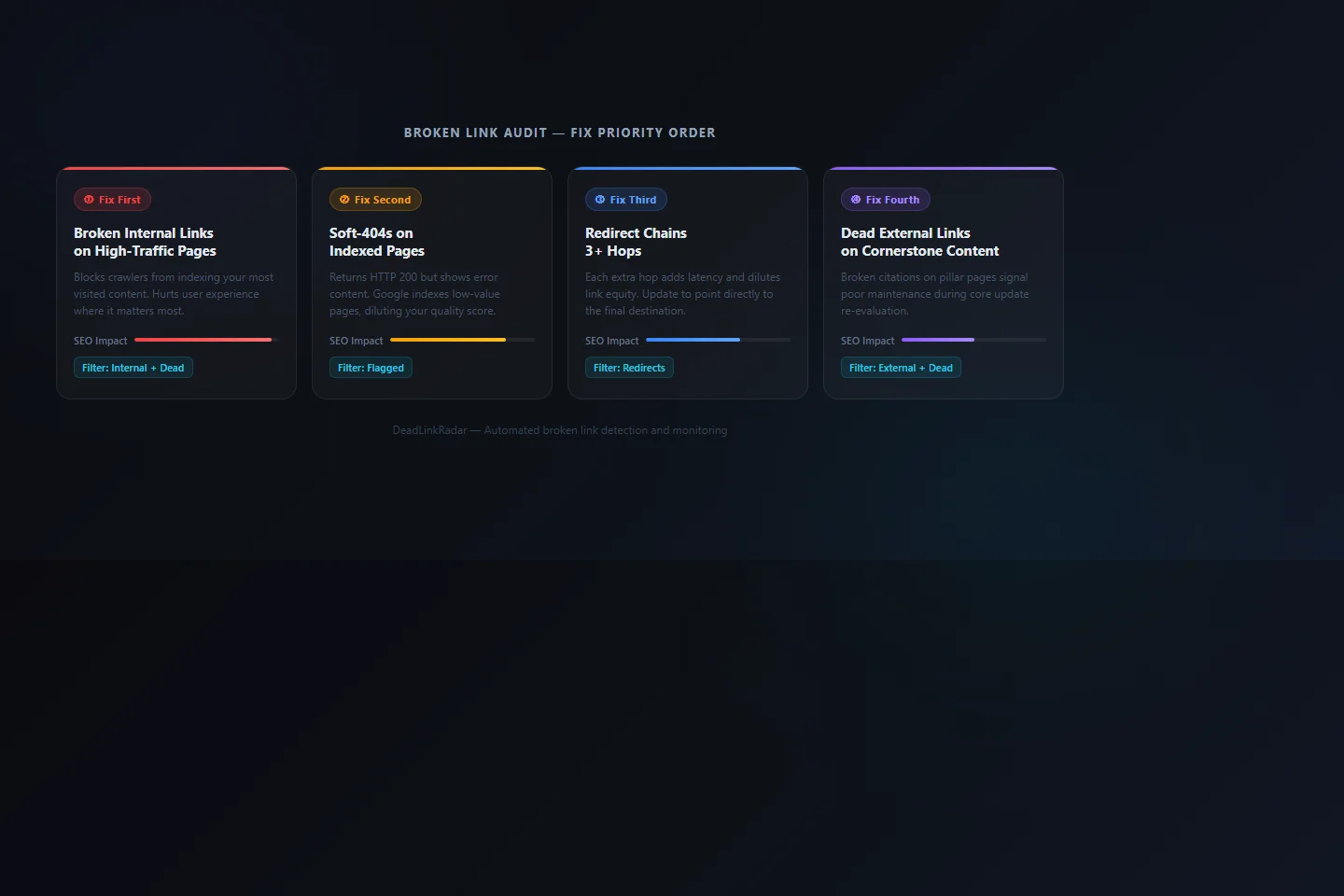
Here's the triage order we recommend:
Fix first: Broken internal links on high-traffic pages. Filter your DeadLinkRadar results to show internal links with a dead status. Sort by the page they appear on, then cross-reference against your analytics to find which source pages drive the most traffic. A dead link in a navigation element or a pillar post is your most urgent fix.
Fix second: Soft 404s on indexed pages. These are indexed by Google but functionally worthless. Filter by "flagged" in DeadLinkRadar to surface soft 404s. Each one is a page that Google has crawled and found to be low-value, even though it technically loaded. Updating or removing these links directly improves the quality of your crawl data.
Fix third: Redirect chains longer than two hops. DeadLinkRadar's link status history shows the full redirect path for each link. Any link resolving through three or more redirects should be updated to point directly to the final destination URL. This removes latency, consolidates link equity, and reduces the risk of a future hop in the chain breaking.
Fix fourth: Dead external links on cornerstone content. Your evergreen guides and pillar pages are the content Google re-evaluates most carefully during a core update. A broken citation in a post that ranks well for a competitive keyword is a specific, identifiable vulnerability that's straightforward to fix.
Step 3: Check for Broken Links Efficiently in Under an Hour
Here's the practical workflow that allows most sites to complete a pre-update broken link audit in under an hour, even with hundreds of links to check.
Create a dedicated audit group. In DeadLinkRadar, create a link group called something like "Core Update Audit" with a clear target date. This separates your audit work from your ongoing monitoring and makes it easy to track progress against a specific deadline.
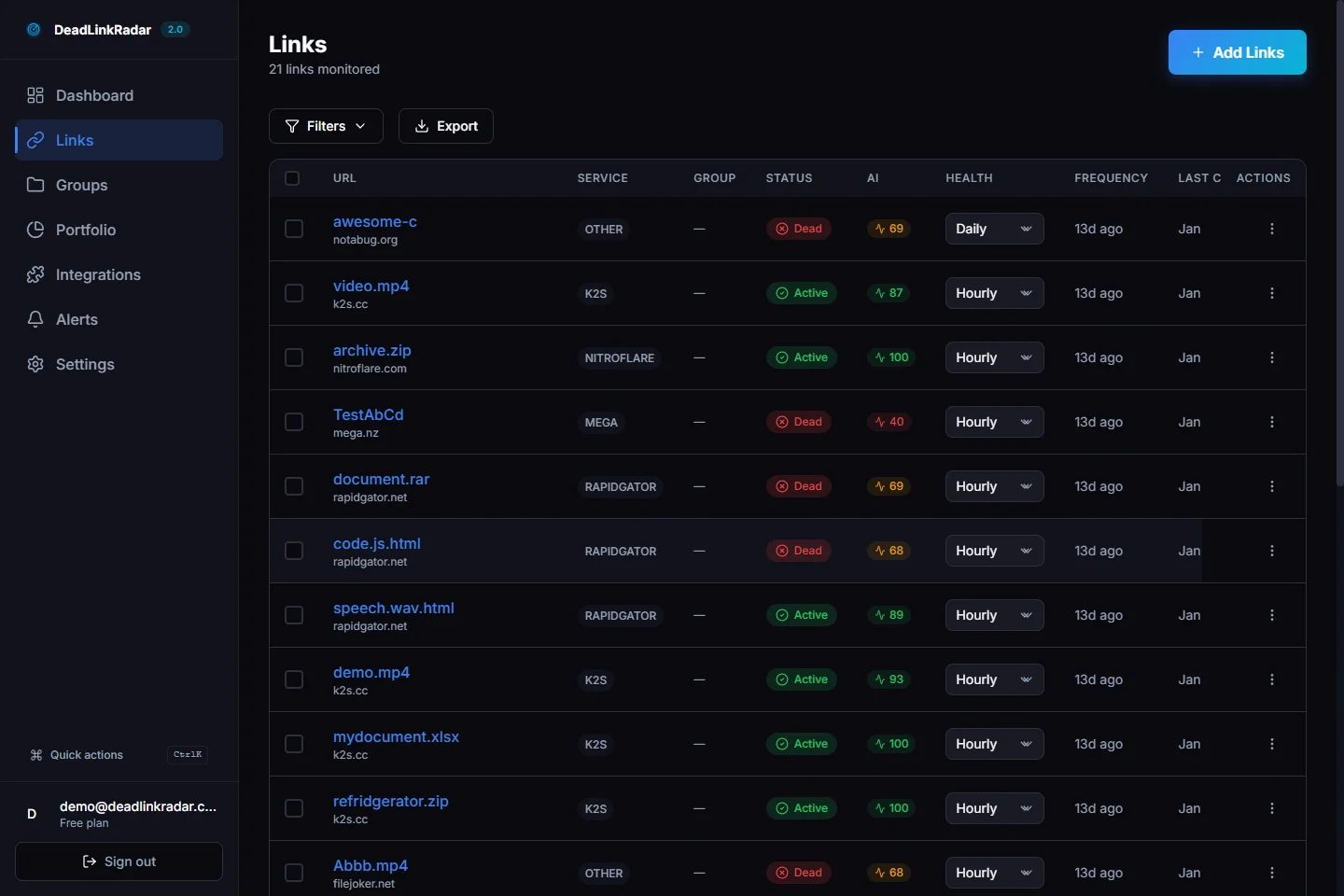
Filter and sort by status. After your initial check completes, sort results by status — dead links first, then flagged, then warnings. Use the filter sidebar to separate internal links from external links. This way you can work through each category without mixing priorities.
Export the broken links list. Use DeadLinkRadar's export feature to pull the full list of dead and flagged links as a CSV. This lets you share the list with content team members or assign specific pages to whoever manages them in your CMS. Dividing the work by page or section allows fixes to happen in parallel.
Trigger re-checks as fixes are made. Once a broken link is replaced or removed, trigger a manual re-check from the DeadLinkRadar dashboard. The link will be re-checked immediately, and the status will update to confirm the fix is working. You'll have documented confirmation of each resolved issue before the update window closes.
Keep a fix log. Record which links were dead, what they were replaced with, and which pages were updated. This isn't just good practice — it's useful context for analyzing your traffic changes after the update. If a page's rankings improve, knowing that you fixed three dead links on it before the update gives you actionable data about what's working.
Step 4: Set Up Continuous Broken Link Monitoring
A pre-update audit is a one-time sprint. The goal after that sprint is to make broken links a non-issue going forward by monitoring them automatically.
DeadLinkRadar checks your links on a configurable schedule — hourly, every six hours, daily, or weekly — and sends an alert the moment something breaks. You can route alerts to email, Slack, Discord, Microsoft Teams, Telegram, or a custom endpoint, depending on where your team already works.
The practical benefit for core updates is compounding. By the time the next update arrives six months from now, your link health will already be clean. There's no audit sprint, no scramble, and no catching up on months of accumulated link rot. Your quality signals are maintained as a baseline, not patched under pressure.
Weekly digest setup works well for teams that prefer a quieter monitoring approach. DeadLinkRadar sends a summary of any new broken links detected over the past seven days. Review it Monday morning, fix anything flagged, and carry on. By the time a core update lands, you've been systematically addressing broken links for months.
Instant alerts work better if you're monitoring links that are directly tied to revenue or lead generation — for example, links to landing pages, product pages, or download resources. For these, you want to know the moment something breaks, not a week later.
What to Do When You Can't Replace a Dead Link
Not every broken link has a clean replacement. The destination page may no longer exist, the resource may be outdated, or the domain may have been abandoned entirely. In those situations, you have two practical options.
Remove the link entirely. If the linked resource was supplementary rather than essential to the content's argument, removing the anchor text link and leaving a plain text reference is a better outcome than leaving a broken link in place. A text mention of a source is not a ranking signal problem. A link to a dead URL is.
Link to an archived version. For broken links where the original content had genuine value — a study, a data source, a relevant article — the Wayback Machine archives billions of historical pages. If the original content is archived, linking to the archived version at web.archive.org is a legitimate and recognized practice. It signals to both readers and crawlers that you've maintained the reference intentionally.
For external links that have simply moved — where the domain still exists but the URL structure changed — a quick search for the content usually surfaces the new location. Many site migrations leave redirect trails or have updated canonical URLs that are easy to find.
Summary
Broken links are a controllable SEO liability. Before a Google Core Update re-evaluates your site's quality signals, a targeted broken link audit removes the most visible problems from the table. The process is straightforward: import your links, check for broken links by category, triage by traffic impact, fix the worst offenders, then set up continuous monitoring so you never repeat the process under pressure.
DeadLinkRadar handles the detection, classification, and alerting automatically, so your team can focus on fixing rather than finding. Ready to run your pre-update audit? Start monitoring free →
Questions or feedback? Reach us at support@deadlinkradar.com.