
Googlebot doesn't have unlimited time for your site. Every day it visits, it has a budget—a fixed number of pages it will crawl before moving on. The question is: how much of that budget are you wasting on broken links?
If your site has 50 dead pages and Googlebot finds them all, those are 50 crawl slots spent on content that will never rank. Meanwhile, your newest blog posts sit unindexed. Your updated product pages wait to be seen. Your freshest content ages before Google even knows it exists.
This is the real cost of broken links. Not just 404 errors and frustrated users—but a silent, ongoing drain on your site's crawl efficiency that directly limits how fast Google can discover and index your best content.
What Is Crawl Budget and Why Does It Matter?
Crawl budget is the number of pages Googlebot will crawl on your site within a given time period. Google allocates this based on two factors: your site's crawl demand (how often pages change and how popular they are) and your site's crawl capacity (how fast your server responds without being overwhelmed).
For large sites, crawl budget is a real constraint. Google has to make choices about which pages to prioritize. A site with tens of thousands of pages simply cannot have every page crawled daily—or even weekly.
But even for smaller sites, crawl budget matters more than most site owners realize. Every page Googlebot wastes time on is a page it doesn't spend on your valuable content.
What Eats Crawl Budget
Googlebot avoids wasting its budget on pages it knows won't be useful. But several common technical issues cause budget waste:
- Duplicate content — Near-identical pages that don't add unique value
- URL parameters — Infinite variations of the same page with tracking codes attached
- Thin content — Pages with very little original content
- Broken links and 404 pages — Dead ends that produce no indexable content
Of these, broken links are especially damaging because they spread. A single outdated sitemap or stale internal link structure can lead Googlebot to dozens of dead URLs in a single crawl session.
How Broken Links Drain Your Crawl Budget
A broken link checker isn't just a UX tool—it's a crawl efficiency tool. Here's exactly how dead links burn your crawl allocation:
Googlebot Follows Every Link It Finds
When Googlebot crawls a page, it reads every link on that page and adds them to its queue. It doesn't know in advance which links lead to live pages and which lead to 404s. It discovers that only after it follows the link.
This means a page with 10 broken links sends Googlebot on 10 pointless trips. Each trip consumes crawl budget. Each trip returns a 404. Each 404 is a wasted crawl slot.
404 Pages Get Re-Crawled Repeatedly
Here's what makes broken links especially budget-hungry: Googlebot doesn't give up on broken links immediately. It returns to check if they've been fixed, typically over several crawl cycles. A broken link that stays broken doesn't just waste budget once—it wastes budget repeatedly until Google decides the page is permanently gone.
This re-crawl behavior means a small cluster of 404 pages can consume disproportionate crawl budget over time.
Dead Links in Your Sitemap Are Particularly Costly
Your XML sitemap is supposed to be a prioritization signal—a list of the pages you most want Google to crawl. Googlebot treats sitemap entries with higher priority.
When your sitemap contains broken links (deleted pages you forgot to remove, restructured URLs without proper redirects), you're actively directing Googlebot toward your worst content. You're spending high-priority crawl slots on dead ends.
Internal Links Multiply the Damage
External broken links (links pointing to other sites) waste budget when Googlebot follows them from your pages. But internal broken links—links within your own site—are worse. They can create cascading crawl sessions where Googlebot follows a dead link, backtracks, finds more links on the 404 page's last known URL, and continues the pattern.
A thorough broken link checker audit covering your internal link structure reveals how many of these dead ends exist within your own site.
Signs Your Crawl Budget Is Being Wasted
You won't find a "crawl budget" report in Google Search Console, but several signals tell you whether Googlebot is spending its budget efficiently on your site.
Coverage Errors Are Accumulating
In Google Search Console, navigate to the Coverage report. If you see a growing count of pages with the status "Not found (404)" or "Submitted URL not found (404)," those are direct evidence of broken links consuming crawl budget.
Submitted URLs that return 404s are especially telling—those are pages in your sitemap that no longer exist.
New Content Takes Weeks to Index
If you publish a new blog post or product page and it takes 2–4 weeks to appear in search results, crawl budget exhaustion is a likely culprit. When Googlebot fills its session crawling dead pages, it can take multiple sessions to finally reach your new content.
Your Crawl Rate Is High But Indexed Pages Are Low
If you see a high crawl rate in Search Console's Crawl Stats but a relatively low number of indexed pages, Googlebot is spending cycles on content that doesn't end up in the index. Broken links and 404 pages are a primary cause.
You're Running Many Redirects
Redirect chains don't trigger 404 errors, but they still drain crawl budget. A link that redirects through three hops uses three times the crawl bandwidth of a direct link. If your site has legacy redirect chains from migrations, rebrands, or URL restructuring, each one taxes your crawl efficiency.
Auditing Your Site for Crawl Budget Waste
Finding the broken links that drain your crawl budget requires a systematic approach. Manual spot-checking won't surface the full picture. You need to audit at scale.
Start With Your Sitemap
Download your XML sitemap and check every URL it contains. Any URL returning a non-200 status code shouldn't be in your sitemap. Pay particular attention to:
- Pages that were deleted during site migrations
- Product pages for discontinued items
- Old blog posts that were consolidated or removed
- Landing pages from past campaigns
Remove dead URLs from your sitemap immediately. This stops Googlebot from prioritizing broken links during crawls.
Crawl Your Internal Link Structure
Run a site-wide crawl to map every internal link on your site. Look for:
- Pages linking to 404 URLs
- Redirect chains (links that go through 3+ hops)
- Internal links to pages you've marked as
noindex
Most broken link checkers can crawl your internal links and flag dead endpoints. The goal is a comprehensive map of where your crawl budget leaks.
Audit High-Traffic Pages First
Not all pages have equal crawl priority. Start your broken link audit on your highest-traffic pages—the ones Googlebot visits most frequently. A broken link on a high-traffic page wastes budget on every crawl cycle, not just occasionally.
Use your analytics data to identify your top 50–100 pages by organic traffic, then audit those pages first.
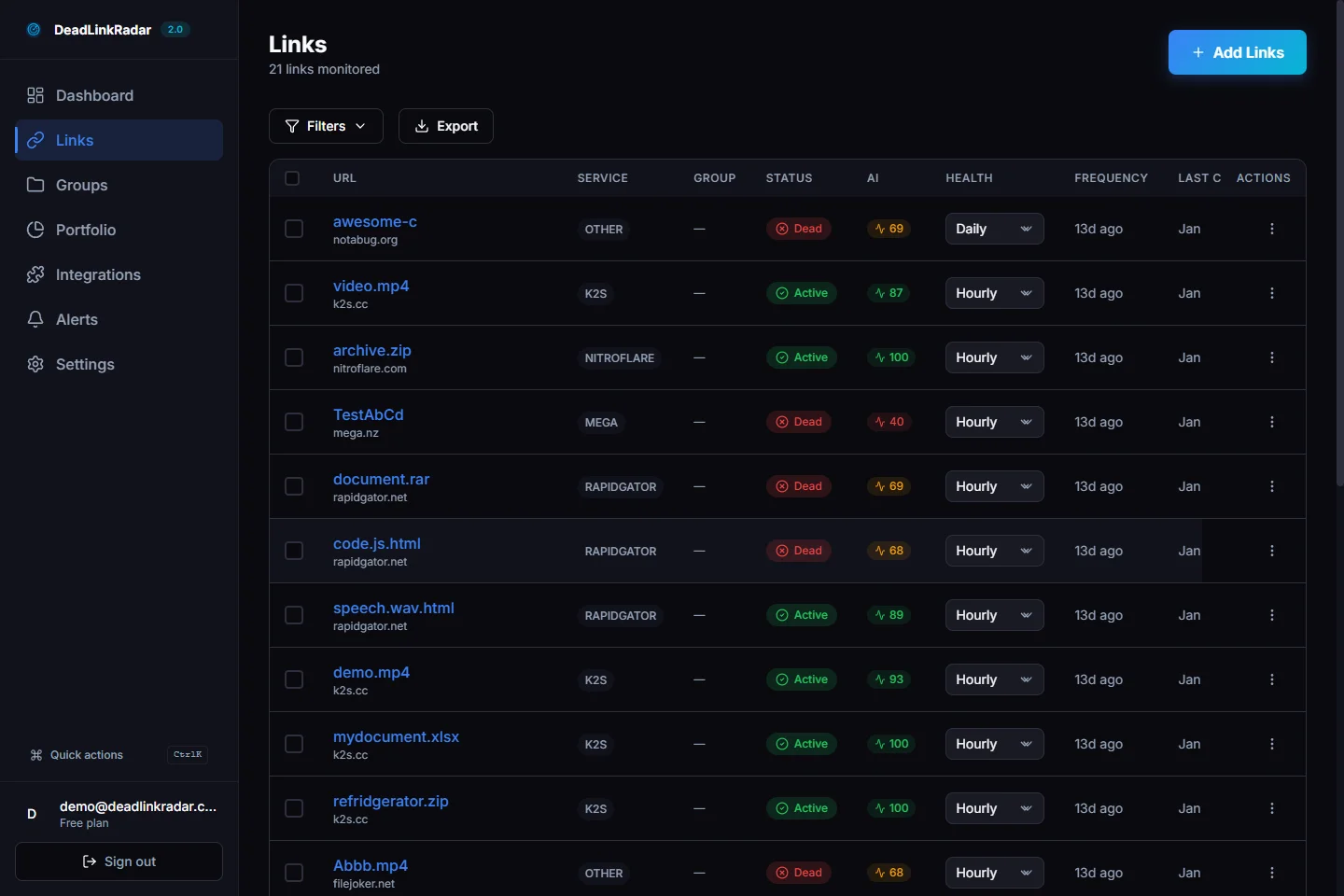
DeadLinkRadar dashboard showing link health overview (click to view full size)
How DeadLinkRadar Catches Broken Links Before Google Does
The problem with manual audits is timing. You might audit today and find zero broken links—then a week later, an external site you link to goes down, a video gets deleted, or a product page gets removed. Googlebot finds the broken link before you do.
Automated monitoring changes this equation. DeadLinkRadar continuously checks your links and alerts you the moment something breaks. Instead of reacting to crawl budget waste after it happens, you fix broken links before Googlebot ever follows them.
Monitoring Dead Links in Real Time
When you add links to DeadLinkRadar, the system checks them on a schedule you control—daily, weekly, or every 15 minutes for critical pages. When a link transitions from healthy to broken, you receive an alert immediately.
This real-time detection means you can fix or remove a dead link within hours of it breaking—long before the next Googlebot crawl session.
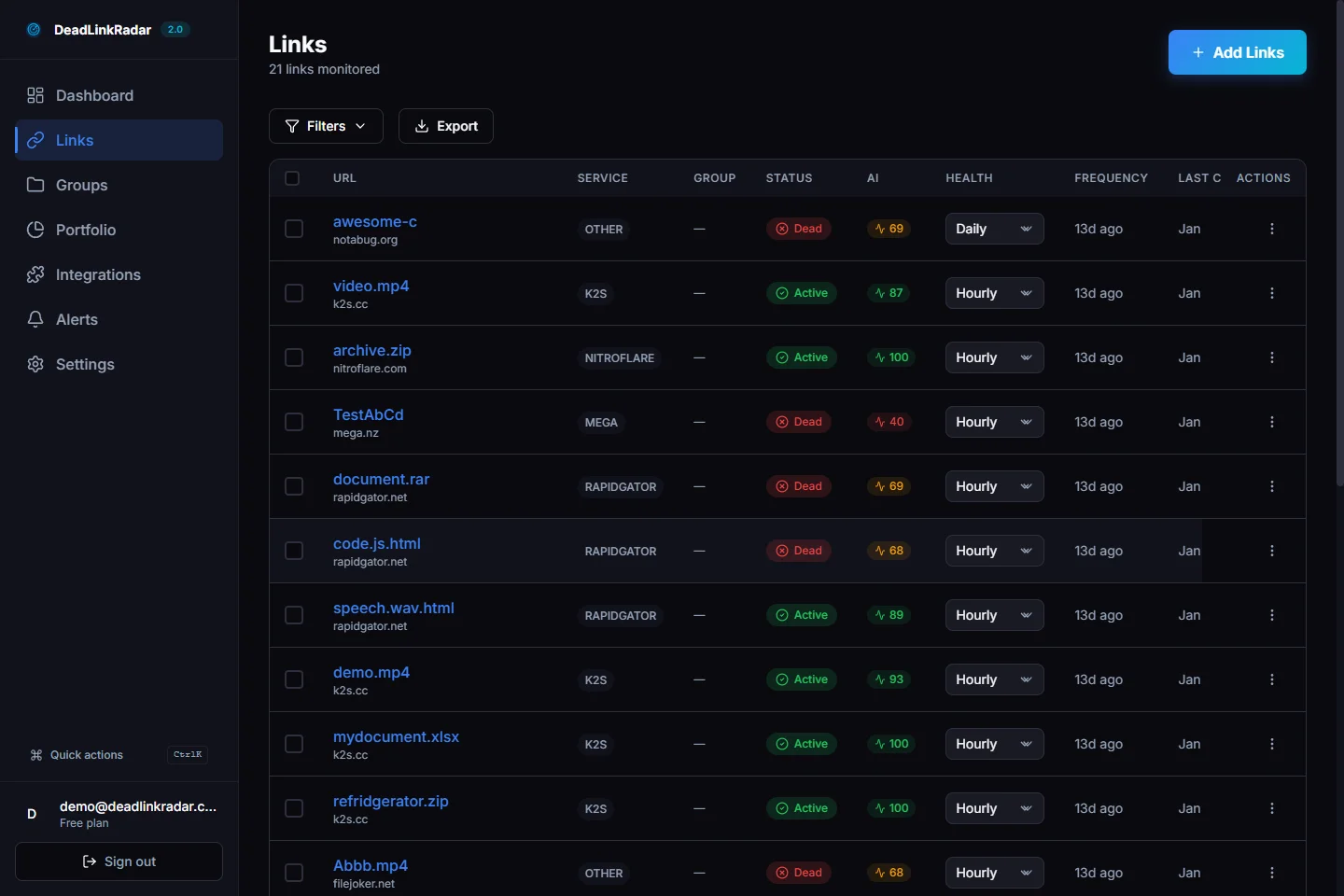
Dead links filtered view showing broken link status (click to view full size)
Soft 404 Detection That Basic Tools Miss
A standard broken link checker only catches hard 404 errors—pages that return a 404 status code. But many of the most damaging broken links are soft 404s: pages that return a 200 status code but display content like "Page Not Found," "This content has been removed," or a generic homepage redirect.
Google treats soft 404s almost identically to hard 404s for indexing purposes, but basic checkers completely miss them. DeadLinkRadar's content analysis layer detects soft 404 patterns, identifying pages that technically respond but contain no useful content.
For crawl budget purposes, a soft 404 is just as wasteful as a hard 404. Google crawls it, determines it has no indexable content, and marks the slot as wasted.
Setting Up Alerts Before Problems Compound
The worst crawl budget scenarios happen when broken links go undetected for weeks or months. Googlebot keeps returning to check the same dead pages, wasting budget on every visit, while your new content waits unindexed.
DeadLinkRadar's alert system eliminates this gap. You can configure alerts for:
- Email notifications when a link changes status
- Slack or Discord alerts for team visibility
- Webhook triggers to integrate with your publishing workflow
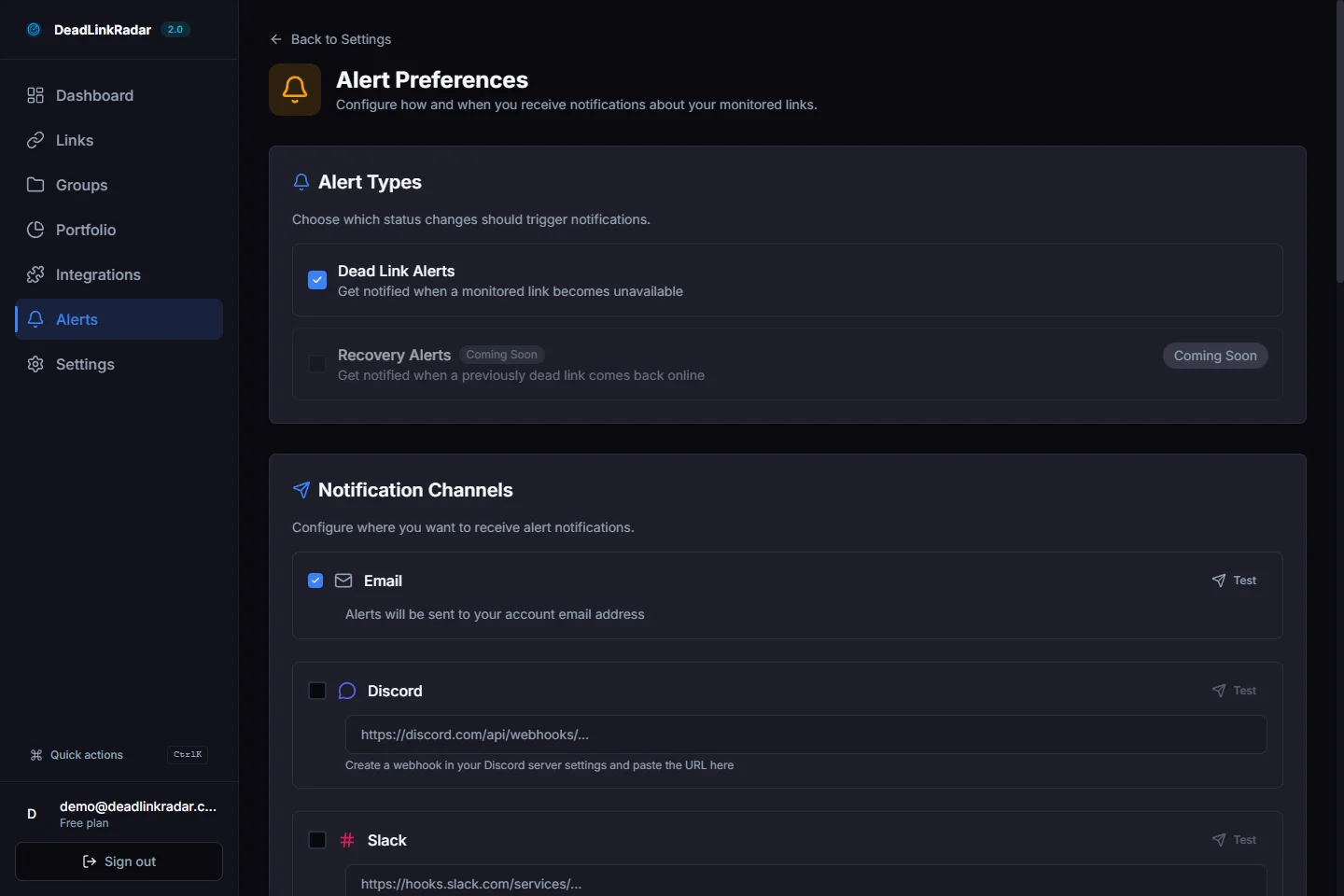
Alert configuration panel for broken link notifications (click to view full size)
Fixing Broken Links to Recover Crawl Budget
Finding broken links is half the battle. The other half is knowing how to fix them efficiently to maximize crawl budget recovery.
Option 1: Redirect (Best for Moved Content)
If the content exists at a new URL, implement a 301 permanent redirect from the old URL to the new one. This preserves any link equity pointing at the old URL and gives Googlebot a valid destination to crawl.
301 redirects are the cleanest solution because they:
- Signal to Google that the content has moved permanently
- Pass link equity to the new destination
- Update Googlebot's understanding of your URL structure
However, avoid creating redirect chains. If page A redirects to page B, and page B redirects to page C, that's two hops instead of one. Clean up chains so old URLs point directly to their final destination.
Option 2: Update the Link (Best for Internal Links)
If you control both the linking page and the target page, simply update the link to point to the correct URL. No redirect needed—just fix the source.
This is the most efficient solution for internal broken links. It removes the crawl budget overhead of a redirect hop and gives Googlebot a direct path to your content.
Option 3: Remove the Link (Best for Dead External Content)
If the content you were linking to is permanently gone with no suitable replacement, remove the link. A page with no broken links is better than a page with a broken link pointing to nothing useful.
For external content that's permanently removed, consider whether you can find an equivalent source to link to instead. Replacing a broken external link with a working one maintains the user experience and stops the crawl budget drain.
Option 4: Add a Custom 404 Page (For Inevitable 404s)
Some 404s are unavoidable. Pages get deleted, campaigns end, content gets retired. A well-designed custom 404 page can reduce the crawl budget cost of inevitable dead pages.
Include a clear sitemap or navigation on your 404 page so Googlebot and users can find your live content from a dead end. This transforms a complete budget waste into at least a partial crawl recovery.
Building a Crawl Budget Maintenance Routine
One-time fixes aren't enough. Links break continuously. External sites go down. Content gets moved. Products get discontinued. Your crawl budget protection needs to be ongoing.
Weekly: Review New Broken Links
With automated monitoring, you'll receive alerts as links break. Set aside time each week to review and address any new broken links flagged by your monitoring system. Address high-priority links (pages on your sitemap, internal links from top pages) within 24 hours.
Monthly: Audit Your Sitemap
Review your XML sitemap monthly for any pages that have been removed, consolidated, or redirected. An accurate sitemap is one of the most direct ways to protect crawl budget—it tells Google exactly what to crawl.
Remove any URLs that no longer return 200 status codes. Add new pages you want indexed. Keep the sitemap as a curated list of your best, most current content.
Quarterly: Full Site Crawl
Run a comprehensive crawl of your site every quarter to catch any broken links that monitoring might have missed—pages not included in your monitoring list, orphaned pages, or newly broken redirect chains.
Use the quarterly audit to also review redirect chain length. Any redirects with more than two hops should be simplified.
When Content Changes: Immediate Audit
Any time you restructure your site, migrate to a new platform, delete content, or change URL patterns, run an immediate broken link audit. Site migrations are the single largest source of crawl budget damage—restructuring without proper redirects can instantly create hundreds of broken links.
The Compounding Benefits of Clean Link Health
Fixing broken links and protecting crawl budget delivers benefits beyond just faster indexing.
Better Crawl Allocation for New Content
When Googlebot stops wasting slots on 404 pages, it has more budget to allocate to your new content. New blog posts get indexed faster. Updated product pages reflect in search results sooner. Your content velocity translates to indexing velocity.
Improved Page Authority Signals
Link equity accumulates on pages that don't leak through broken links. Internal links to your top pages work correctly, passing authority along a healthy link structure. External links pointing to your domain reach live pages instead of 404s.
Stronger Domain Trust Signals
Google's quality signals include site health metrics. A site with consistently clean link health—few broken links, fast server responses, clean sitemaps—earns a higher baseline crawl rate than a site with persistent technical issues.
The better your link health, the more crawl budget Google allocates. It becomes a virtuous cycle: clean links → more budget → faster indexing → better rankings → more traffic → motivation to maintain clean links.
Protecting Your Crawl Budget Starts Today
Every day your broken links go unfixed, Googlebot is wasting crawl slots that could be indexing your best content. The waste compounds. The indexing delay extends. The ranking opportunity cost grows.
The most effective protection is continuous monitoring that catches broken links the moment they occur—before Googlebot's next visit, before the crawl budget is spent, before the damage accumulates.
| Action | Impact | Timeline |
|---|---|---|
| Remove 404s from sitemap | Immediate crawl budget recovery | Within 24 hours |
| Fix internal broken links | Cleaner crawl paths | Within 1 week |
| Set up automated monitoring | Prevent future budget waste | Ongoing |
| Audit redirect chains | Reduce crawl hops | Within 1 month |
| Quarterly full crawl | Catch edge cases | Quarterly |
Start monitoring your links for free — DeadLinkRadar checks up to 50 links free forever. Find the broken links draining your crawl budget before Googlebot does.
Broken links don't just frustrate users—they silently drain the crawl budget that determines how fast Google discovers your best content. Try DeadLinkRadar free and keep your crawl budget working for you.