
Most site owners run a broken link checker on their pages. Few run one on their XML sitemap — and that gap quietly costs them crawl budget and search visibility. Your sitemap is the first place Googlebot looks when it visits your site. When it finds broken links in that sitemap, it wastes crawl quota on pages that no longer exist, then moves on without indexing your good content. Over time, a sitemap full of dead URLs trains Google's crawler to trust your site less and allocate fewer crawl resources to your domain.
This guide explains how broken links in your XML sitemap damage SEO, how to find them with a step-by-step audit, and how to set up continuous monitoring so the problem never compounds again.
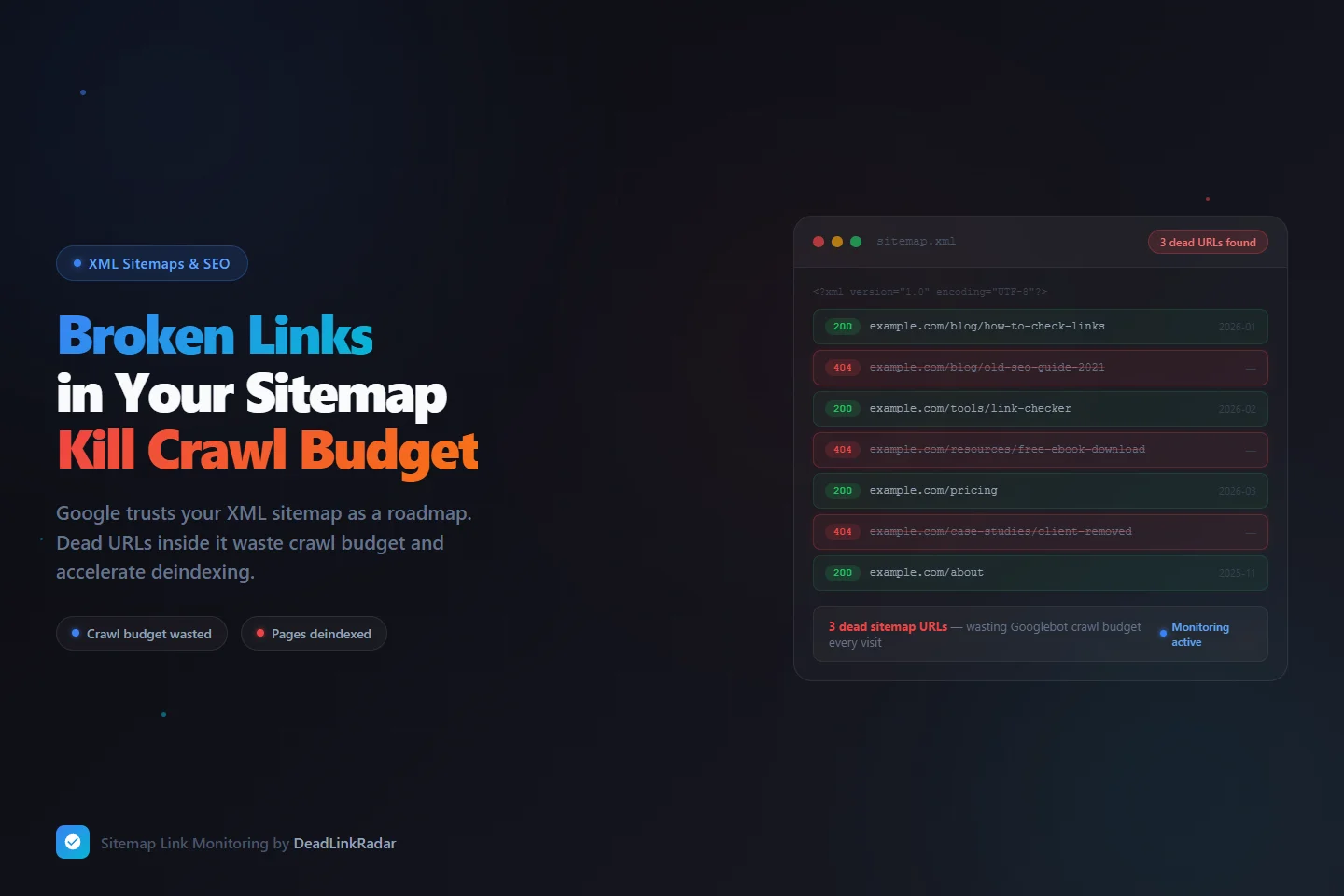
Why Broken Links in Your Sitemap Are a Different Kind of SEO Problem
A broken link on a blog post is a content maintenance problem. Broken links in your XML sitemap are an SEO infrastructure problem — and the distinction matters considerably for how quickly and severely they affect your rankings.
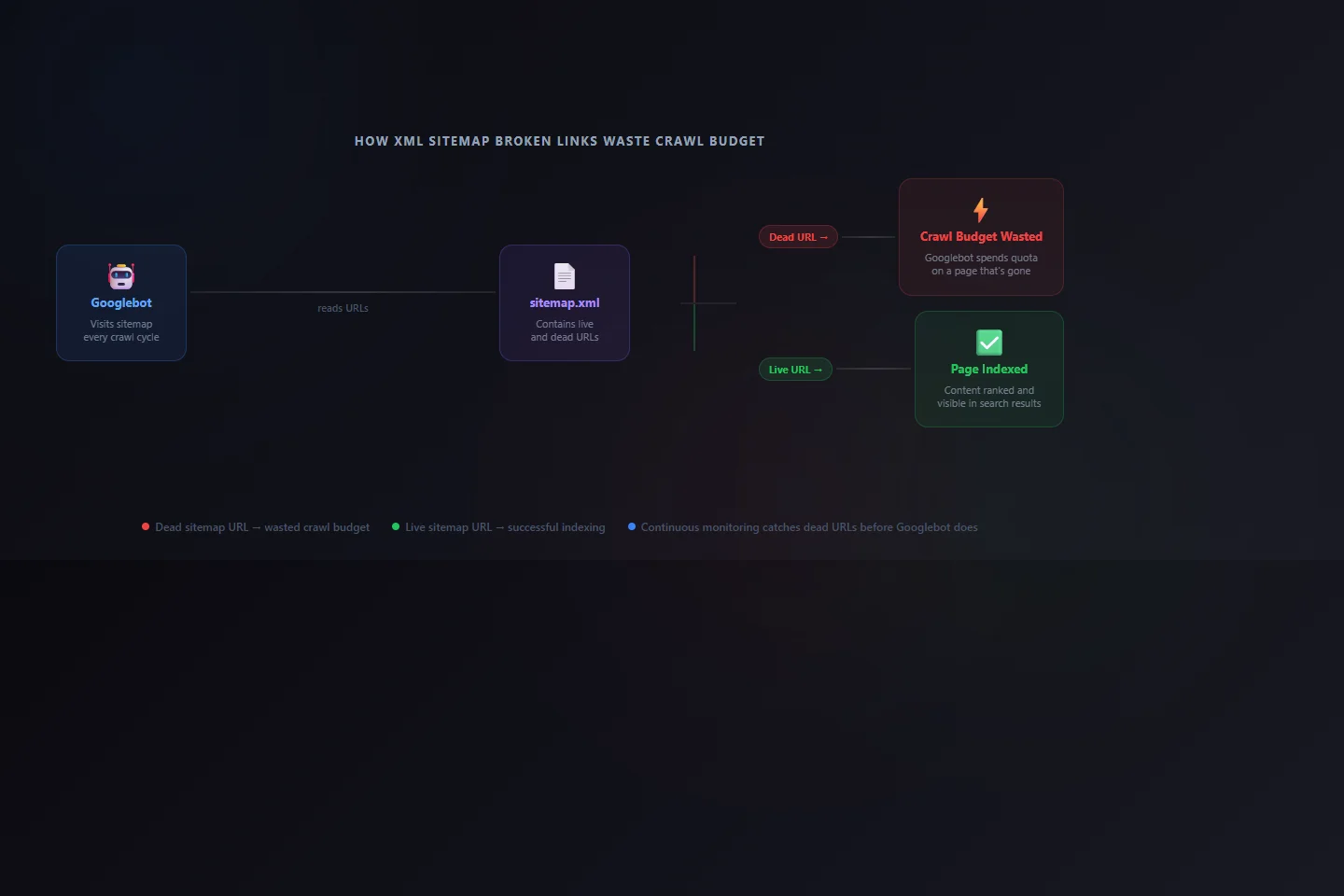
When you submit a sitemap to Google Search Console, you're making an explicit claim: "These are the important URLs on my site. Please crawl and index them." Googlebot reads your sitemap and treats every <loc> entry as a page worth requesting. When a URL in that list returns a 404, Googlebot has to spend crawl quota requesting a page that will never load. That quota is finite — and every dead URL in your sitemap is consuming it without producing any indexable content.
There's also a compounding trust dimension. Google's crawl systems build a behavioral model of your site over time. A sitemap that reliably returns useful content gets prioritized. A sitemap that consistently yields 404 responses gets deprioritized. You're not just wasting individual crawl requests — you're training Google's systems to trust your sitemap less, which affects how aggressively Googlebot crawls your site in the future.
| Issue Type | Impact | Recovery Time |
|---|---|---|
| Dead link on single blog post | Low — affects that page only | Fast once fixed |
| Dead URL in sitemap (crawled repeatedly) | Medium — wastes quota on each Googlebot visit | Requires sitemap update + resubmit |
| Multiple dead sitemap URLs over time | High — signals site neglect, reduces crawl frequency | Weeks — trust rebuild is slow |
| Sitemap pointing to deleted content category | High — Google learns to expect failures | Slow — full sitemap audit + cleanup needed |
The pattern that matters: a single dead URL in your sitemap is noise. A pattern of dead sitemap URLs is a signal — and Google's quality systems are specifically designed to detect patterns.
How XML Sitemap Broken Links Happen
Sitemaps don't maintain themselves. They're generated — by a plugin, a build step, or a framework — based on your site's current structure. When that structure changes and the sitemap generator doesn't update accordingly, you end up with a gap between what your sitemap claims exists and what actually does.
Slug changes from title rewrites. When you update a post title, your CMS typically regenerates the URL slug. Most sitemap generators pick up the new slug on the next build. But if the old URL wasn't redirected via a 301 to the new one — or if the sitemap was cached and not regenerated — you now have a sitemap entry pointing to a URL that returns 404, while the content lives at an entirely different address.
Content deletions that bypass sitemap cleanup. This is the most common cause on sites with multiple editors or content contributors. A landing page gets deprecated, a product gets discontinued, a resource gets taken down — but the sitemap wasn't regenerated after the deletion. The dead URL persists in the sitemap, getting crawled on every Googlebot visit without ever returning content.
Domain or URL structure migrations. Moving from one domain to another, switching CMS platforms, or restructuring your URL hierarchy creates sitemap orphans. Even with proper 301 redirects in place, a redirect chain is slower and less crawl-efficient than a direct URL. If your sitemap still lists pre-migration URLs that redirect through to post-migration destinations, you're adding unnecessary steps to every Googlebot crawl and consuming crawl budget on intermediate hops.
Sitemap plugin caching mismatches. WordPress sitemap plugins — Yoast, Rank Math, All-in-One SEO — sometimes cache sitemap data aggressively. When content is deleted or moved, the cached sitemap may retain the old entry until the next forced regeneration or cache flush. Developers building static sites often face a similar issue: hard-coded sitemap entries or missing exclusion rules for pages that were removed during a redesign.
Temporary pages that become permanent dead ends. Campaign landing pages, event pages, and limited-time offers often get added to sitemaps during their active period and then deleted after the campaign ends. Without a process to remove them from the sitemap at deletion time, they become permanent dead entries that Googlebot keeps requesting.
Understanding What Crawl Budget Actually Means
Crawl budget is a term Google uses in its developer documentation, though not in a way that gives site owners a precise number to work with. In practice, it refers to two distinct limits: the crawl rate limit (how fast Googlebot crawls your site without overloading your server) and the crawl demand (how much Google believes your site's content is worth crawling based on its quality signals and freshness).
For small sites with a few dozen pages, crawl budget almost never becomes a real constraint. For sites with hundreds or thousands of pages — or for sites that publish new content frequently and depend on fast indexing — how Googlebot allocates its crawl attention directly affects how quickly new and updated content gets indexed.
Dead sitemap URLs create two distinct crawl budget problems:
Direct quota waste. Every 404 response Googlebot receives from a sitemap URL is a request that consumed server bandwidth, crawl time, and crawl quota without producing any indexable content. If your sitemap has 50 dead URLs and Googlebot visits it daily, that's 50 wasted requests every 24 hours — compounding against whatever crawl rate your site has been assigned.
Indirect signal degradation. Google's crawl prioritization isn't mechanical. It factors in page freshness, update frequency, and the historical reliability of your sitemap's content. A sitemap that consistently yields useful responses gets crawled more aggressively. A sitemap that consistently yields 404 responses starts getting treated as an unreliable source — meaning even your live URLs may get crawled less frequently over time.
How to Find Broken Links in Your Sitemap Manually
A manual audit is the right starting point if you've never checked your sitemap's health before. It's also useful after major site changes — a migration, a CMS switch, or a large content cleanup. For small sitemaps (under 200 URLs), this process is manageable. For larger ones, automation becomes necessary.
Step 1: Locate your sitemap.
Most sites serve their sitemap at /sitemap.xml. WordPress sites using Yoast serve a sitemap index at /sitemap_index.xml, which links to category-specific sitemaps for posts, pages, categories, and tags. The reliable way to find your sitemap is to check /robots.txt — it typically includes a Sitemap: directive with the full URL.
Step 2: Download the XML.
Paste your sitemap URL into a browser to view it, or download it with curl:
curl -o sitemap.xml https://yoursite.com/sitemap.xmlFor sitemap index files, you'll need to download each linked sub-sitemap separately.
Step 3: Extract all URLs into a plain list.
Parse the <loc> elements to get every URL the sitemap contains:
grep -oP '(?<=<loc>)[^<]+' sitemap.xml > sitemap-urls.txtStep 4: Check each URL's response code.
Batch-check all extracted URLs against your live site:
while IFS= read -r url; do
  code=$(curl -o /dev/null -s -w "%{http_code}" "$url")
  echo "$code  $url"
done < sitemap-urls.txt | grep -v "^200"
The filtered output shows only non-200 responses — these are your dead sitemap URLs.
Step 5: Cross-reference with Google Search Console.
Google Search Console's Coverage report shows which sitemap URLs Google has actually attempted to crawl and what status they returned. Under the "Error" tab, look for "Submitted URL not found (404)" — these are confirmed broken sitemap links from Google's perspective. The advantage of Search Console data is that it reflects what Googlebot actually encountered, not just what your server returns in a test run. These two sources sometimes differ due to caching, geolocation, or bot-specific responses.
The limitation of a manual check is that it's a point-in-time snapshot. A URL that returns 200 today might return 404 next week after a content deletion. Manual audits tell you the current state but don't protect you from future drift.
Fixing the Broken Links You Find
When you identify a dead URL in your sitemap, you have three paths depending on why the link is broken:
The content moved to a new URL. Set up a 301 redirect from the old URL to the new one, then update the sitemap entry to the new URL directly. Don't just add the redirect without updating the sitemap — Googlebot will follow the redirect, but direct URLs are more efficient and use less crawl budget than redirect chains.
The content was deleted and has no replacement. Remove the URL from your sitemap immediately. If your sitemap is auto-generated, this typically means triggering a regeneration after confirming the deletion. If you use a manually maintained sitemap, delete the entire <url> block for that entry. Leaving dead URLs in the sitemap hoping Google will eventually stop crawling them is not a reliable strategy — Googlebot will keep requesting those URLs until they're removed from the sitemap.
The content was reorganized under a new URL structure. Update both the sitemap and all internal links pointing to the old URL. A redirect handles Googlebot's crawl, but internal links pointing to dead-then-redirected URLs still create unnecessary crawl hops and a degraded user experience for anyone who follows those links directly.
After fixing sitemap entries, resubmit your sitemap in Google Search Console: navigate to Search Console → Sitemaps → [your sitemap] → Resubmit. This signals to Google that your sitemap has changed and prompts a fresh evaluation — though it doesn't guarantee an immediate recrawl.
| Fix Scenario | Action Required | Sitemap Action |
|---|---|---|
| Content moved to new URL | 301 redirect old → new | Update <loc> to new URL |
| Content deleted, no replacement | Remove 404 page from server | Remove <url> block from sitemap |
| URL structure changed site-wide | 301 redirects for all old URLs | Regenerate sitemap or update all entries |
| CMS cached outdated sitemap | Flush sitemap cache in plugin | Force sitemap regeneration |
Running a Broken Link Checker on Your Sitemap Continuously
A one-time audit fixes today's problems but doesn't prevent tomorrow's. Sitemaps are living documents. New content is published, old content is deleted, URL slugs get rewritten. Without ongoing monitoring, you're always reacting after the fact — running broken link checker scans when you notice something wrong, or discovering issues through Search Console errors that may already be weeks old by the time Google surfaces them.
The right approach is to import your sitemap URLs into a continuous broken link checker and let it alert you the moment a URL changes status. DeadLinkRadar monitors each URL on a schedule you configure — every few hours or daily depending on your plan — and sends alerts through your preferred channel (email, Slack, Discord, or webhook) the moment a URL goes from returning 200 to returning 404, 301, or any other non-success status.
To set up broken link checker monitoring for your sitemap in DeadLinkRadar:
- Download your sitemap XML or open it in a browser, then extract the list of
<loc>URLs into a text file (one URL per line) - Use DeadLinkRadar's bulk import to paste the full URL list — it processes hundreds of URLs in a single import
- Create a group called "Sitemap URLs" to keep these separate from other monitored links, making it easy to filter and review sitemap health independently
- Set your preferred monitoring frequency and configure alert delivery to your team
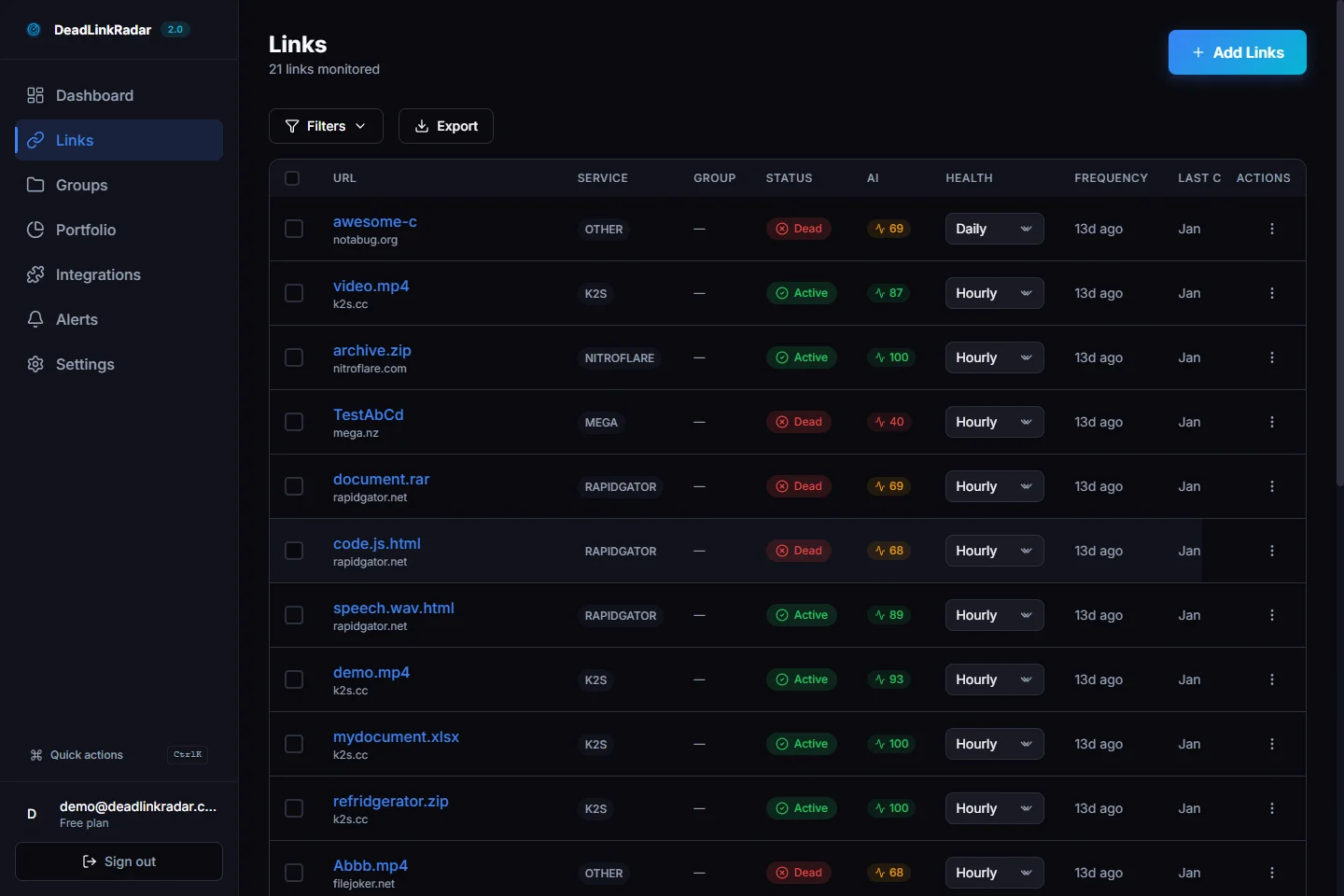
Once your sitemap URLs are monitored, you'll be alerted the same day a URL breaks — before Googlebot makes its next scheduled crawl, and well before the problem would appear in Search Console's error reports.
What Continuous Monitoring Catches That Manual Audits Miss
The gap between what a manual audit detects and what ongoing monitoring catches is significant for any site that publishes or updates content regularly.
Post-deploy regressions. Deployments that change URL routing, update slug generation logic, or remove entire sections of a site can silently break sitemap entries. Active monitoring catches these within hours of the deploy — not the next time someone thinks to run a sitemap audit.
Content deletions by team members. In collaborative publishing environments, writers and editors delete content without always considering whether that URL appears in the sitemap. Monitoring surfaces these immediately when they happen, not weeks later.
Expired or time-limited pages. Seasonal campaigns, product launch pages, webinar registration pages, and limited-time offers often get deleted after their useful life ends. If these were included in a sitemap during their active period, the dead URL persists in the sitemap until someone explicitly removes it. Continuous monitoring flags these the same day the page disappears.
Infrastructure changes that affect URL availability. Server configuration changes, CDN policy updates, and hosting migrations can cause URLs to temporarily or permanently return non-200 status codes. A broken link checker running on a schedule catches these before they accumulate into a persistent problem.
The practical difference between catching a dead sitemap URL the same day versus several weeks later matters significantly: Googlebot visits large sites daily. Every missed crawl cycle where a dead URL is re-requested wastes crawl budget — and each visit reinforces the signal that your sitemap is unreliable.
Summary: Sitemap Link Health in Practice
Your XML sitemap is Google's roadmap to your site. Keeping it accurate is one of the highest-leverage technical SEO tasks you can automate, yet most site owners treat it as a one-time setup and forget it.
To clean up your sitemap today:
- Find your sitemap via
/sitemap.xmlor yourrobots.txtfile - Extract all
<loc>URLs into a list - Batch-check response codes — anything that isn't 200 is a problem
- For each dead URL: set up a 301 redirect if content moved, or remove it from the sitemap if it's gone for good
- Resubmit the updated sitemap in Google Search Console
For ongoing protection, import your sitemap URLs into DeadLinkRadar and configure alerts. Running a broken link checker against your sitemap on a continuous schedule means you'll know about dead URLs the same day they appear — before Googlebot wastes crawl budget on them, and before a pattern of failures starts affecting how often your live pages get crawled.
Ready to check for broken links in your sitemap? Start monitoring free. Questions? Reach us at support@deadlinkradar.com.