
You fixed your broken internal links. You cleaned up your 404 pages. You submitted a fresh sitemap. And yet your rankings slid anyway.
The culprit might not be on your site at all — it's where your site points.
Most site owners run a dead link checker on their own pages and stop there. That catches the 404s that affect user experience. But it misses the slower, more insidious problem: dead outbound links pointing off your site to resources that no longer exist. These broken links don't generate errors on your pages. They don't appear in Google Search Console's coverage report. They just quietly erode the authority and relevance signals that your outbound links were supposed to provide.
Dead outbound links are among the most overlooked SEO problems on established sites. Unlike broken internal links, which are clearly your problem, outbound links decay quietly as the external web changes around you. A research citation that was authoritative in 2022 returns a 404 today. A tool you recommended shut down six months ago. A case study you linked to got deleted when the company rebranded. You never noticed because none of it triggered an error on your own pages.
But Google noticed.
How Outbound Links Work for SEO
To understand why dead outbound links matter, you need to understand what live ones do for you.
When you link out to external resources, you're doing three things simultaneously for Google's crawlers:
Flowing PageRank signal. Every page has a finite amount of link equity, derived from the links pointing into it. When you link out, some of that equity flows to the destination. This is intentional — it's how the web is supposed to work. When the destination is a live, authoritative page on a relevant topic, that flow is a coherent signal.
Establishing topical relevance. The pages you link to define the neighborhood your content belongs to. A well-researched article about link building that cites industry studies and authoritative SEO resources sends a clear topical signal. It tells crawlers: this content belongs among pages about link building and SEO. That neighborhood association contributes to how Google positions your page in the topic space.
Signaling content quality and maintenance. Outbound links serve as a form of editorial curation. When you cite sources, you're implicitly vouching for them. Google factors outbound link quality into its broader assessment of a page's trustworthiness and editorial standards.
All three of these effects depend on the destination being live.
What Happens When Those Outbound Links Go Dead
When an outbound link points to a dead page, the SEO effects reverse:
PageRank flows into a dead end. The equity doesn't disappear from your page — it leaves through the outbound link and goes nowhere. Crawlers follow the link, get a 404 or an empty redirect, and the signal is lost. That equity could have flowed to a live, relevant resource. Instead, it evaporates.
Topical signals weaken. If your article links to five authoritative resources on a topic and three of them are gone, the neighborhood signal is incomplete. You're pointing at empty lots where relevant content used to be. The topical context that those live links would have contributed is absent.
Content quality signals degrade. A page with multiple broken outbound links reads as unmaintained. The citations are stale. The resources you vouched for are gone. This directly contradicts the "high-quality, well-maintained content" signal Google's quality raters look for. Particularly on content that receives ongoing search traffic, stale outbound links are a visible quality decay signal.
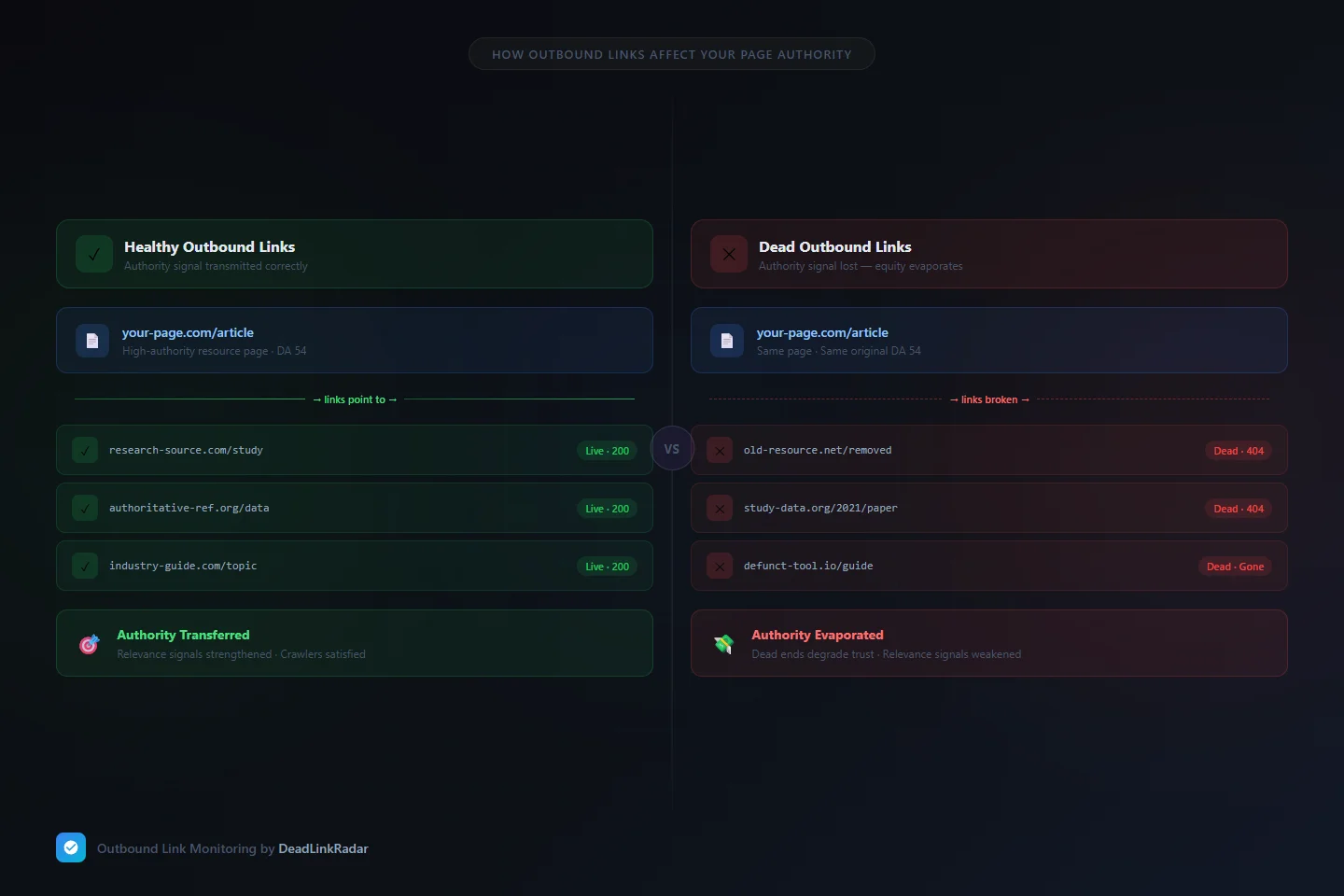
Outbound link equity comparison: live links transfer authority, dead links lose it (click to enlarge)
Dead Links vs Crawl Budget: Two Different SEO Problems
If you've already addressed broken internal links and crawl budget waste, you might assume your outbound link health is a secondary concern. It isn't — and here's the key distinction.
Broken internal links damage crawl efficiency: Googlebot follows a dead internal link, gets a 404, and that's a wasted crawl slot on your own domain. It's a direct and measurable crawl budget problem.
Dead outbound links operate differently. Googlebot follows your outbound link off your domain — that link check is part of Google's broader web crawl, not your site crawl specifically. But the damage to your site comes from what those links signal before they're followed: the quality, relevance, and maintenance signals that outbound links contribute to your content assessment.
Think of it this way:
| Problem | Mechanism | Primary Damage |
|---|---|---|
| Broken internal links | Wasted crawl slots on your domain | Indexation gaps, crawl budget drain |
| Dead outbound links | Broken PageRank flow, stale quality signals | Page authority dilution, topical relevance loss |
Both problems matter. But they operate through different mechanisms and require different monitoring strategies.
How Many Dead Links Accumulate in Your Outbound Profile Over Time
Link rot is not a rare edge case — it's the default behavior of the web.
Research consistently shows that a significant percentage of URLs referenced in web content stop resolving within a few years. A widely-cited study of academic citations found that roughly 20–30% of URLs become inaccessible within two years of publication. For commercial and blog content, where linked resources include product pages, startup tools, news articles, and case studies, the decay rate is often faster.
The compounding effect is what makes this genuinely dangerous for SEO. A content-heavy site that's been publishing for three or more years has a steadily growing inventory of aging outbound links. Each year, another percentage of those links decays. The links on your three-year-old evergreen guide — the one that still receives consistent organic traffic — are decaying right now, and nobody on your team is watching.
A realistic estimate for sites with significant content archives: somewhere between 5% and 15% of outbound links on content published two or more years ago are currently broken, depending on industry and link targets. For posts citing startup tools, studies, and news sources, the rate is higher.
How to Check for Broken Outbound Links With DeadLinkRadar
The core problem with dead outbound links isn't that they're hard to fix — it's that they're invisible until you go looking for them. No alert fires when an external site you linked to goes down. No error message appears on your page. The link simply starts delivering broken destinations, silently.
A dead link checker built for outbound monitoring changes this equation. DeadLinkRadar makes outbound link decay visible by checking your links on a continuous schedule. When a link transitions from live to dead — whether because the destination returned a 404, got redirected to an unrelated page, or started returning a soft-404 that looks live but contains nothing useful — you get notified immediately.
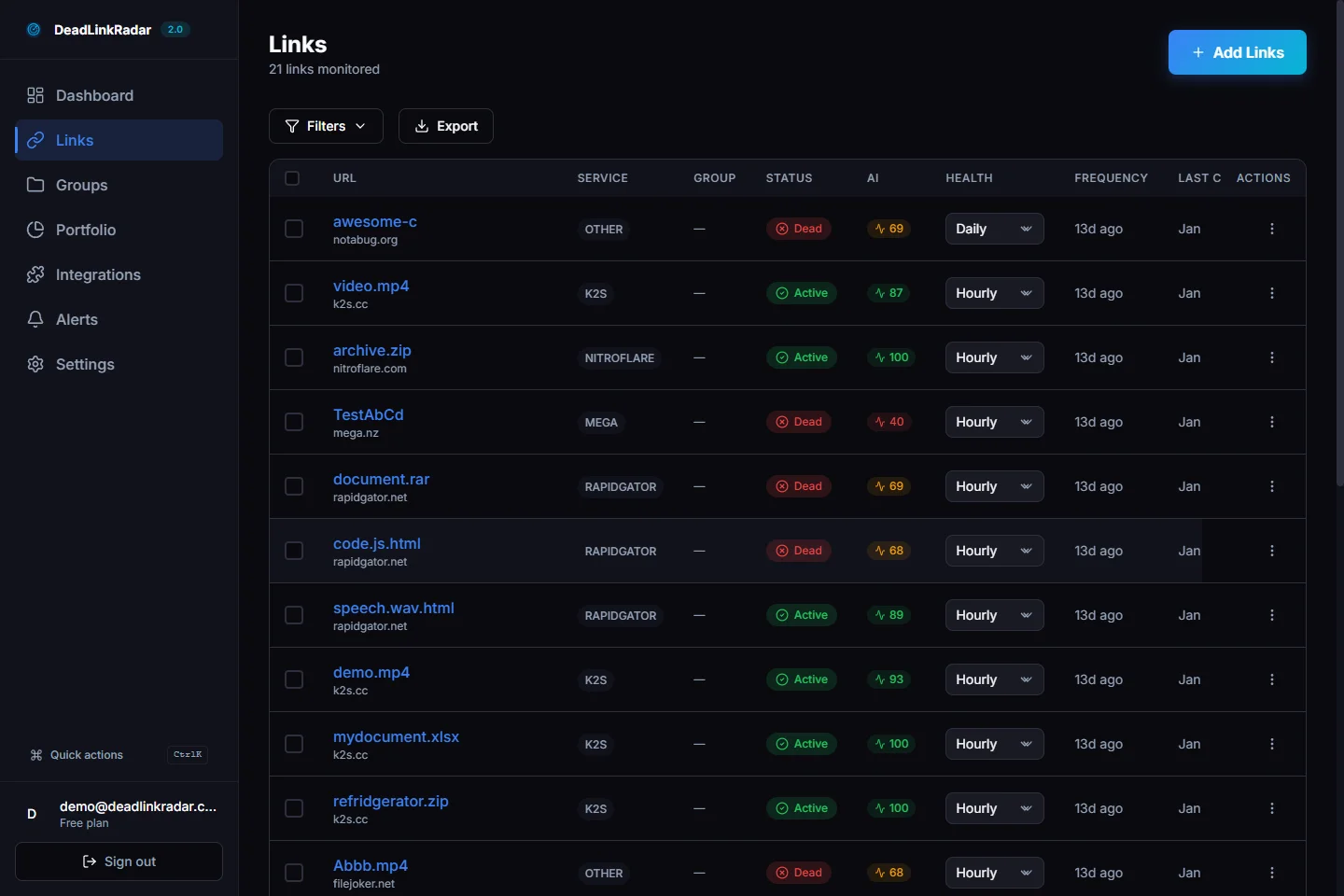
Dead links dashboard filtered to show broken outbound links (click to view full size)
The monitoring catches three categories of outbound link decay that manual audits miss between checks:
Hard dead links — destinations returning 4xx or 5xx responses. These are straightforward to detect and the most common form of outbound link decay.
Soft 404 dead links — destinations returning a successful response but displaying content that indicates the page is gone. "This page has been removed," "Product not found," "The content you're looking for no longer exists." A standard link check misses these entirely because the status code looks healthy. DeadLinkRadar's content analysis layer reads the actual page content to detect these cases.
Redirect-to-unrelated destinations — links that technically resolve but now point to something entirely different. The original resource was replaced by something unrelated when the domain changed hands or the content was restructured. Your citation still "works" but no longer means what you intended.
What to Do When the Dead Link Checker Finds Broken Outbound Links
Finding a dead outbound link doesn't mean you automatically lose the authority it represented. You have three actionable options, and the right choice depends on what the link was doing in your content.
Replace With an Equivalent Resource
This is the best outcome. If the original resource is gone but comparable content exists elsewhere, find a live equivalent and update the link. The outbound link continues contributing topical relevance and trust signals, and your content remains accurately cited.
For factual citations — statistics, research findings, data points — find the same information from a live authoritative source. For tool references, find the current equivalent. For case studies, find a similar example.
Replacing a dead outbound link with a live equivalent preserves the SEO value of that link position. It's not just a quality fix — it's an authority maintenance action.
Remove the Link If No Replacement Exists
If the resource is permanently gone with no comparable alternative, remove the link. A citation pointing to a dead page contributes nothing positive. Removing it is cleaner than leaving a broken signal in your content.
For evergreen content where the missing citation was peripheral, removal is often the right call. If the missing resource was central to your argument, consider whether the section itself needs updating to reflect current information.
Update the Anchor Text and Context
Sometimes a dead outbound link reveals that the underlying section of your content is outdated. The research you cited from four years ago has been superseded. The tool you recommended no longer exists because the problem it solved has been addressed in other ways.
In these cases, treat the dead link as a trigger for a content update, not just a link fix. Refresh the section with current information and current citations. This turns link maintenance into a content quality improvement that carries broader SEO benefits.
Building an Outbound Link Health Routine
A dead link checker for outbound links only pays off if you use it consistently. One-time audits find the broken links that exist today — but link rot is continuous. The resources you link to keep decaying whether you're watching or not.
Here's a practical cadence for maintaining outbound link health:
On publish: Before any piece of content goes live, verify every outbound link is functional. This costs minutes and prevents you from publishing broken citations from day one. Running a dead link checker on your draft is the simplest form of outbound link hygiene and takes less than a minute per post.
Monthly for high-traffic pages: Your best-performing content — the posts that consistently draw organic traffic — deserves regular outbound link checks. These pages are under the most scrutiny from Google, accumulate the most link equity, and are the most costly to have degraded by broken citations. Audit outbound links on your top 20–30 pages monthly.
Quarterly for aged content: Posts published 18 months or more ago have had the most time to accumulate link decay. A quarterly pass through your content archive with a dead link checker reveals the worst of the rot and lets you prioritize repairs by traffic impact.
Immediately after external site changes: When a major resource you frequently cite undergoes a restructuring, rebranding, or shutdown, audit all your posts that link to it. This targeted check is faster than a full site audit and catches the broken links before they compound.
The combination of automated monitoring (continuous alerts) and periodic manual audits (quarterly archive checks) gives you comprehensive coverage without requiring a full manual pass every week.
Summary: The SEO Case for Outbound Link Monitoring
| Action | SEO Impact |
|---|---|
| Monitor outbound links continuously | Catch decay the moment it happens |
| Replace dead citations with live equivalents | Preserve authority flow and topical signals |
| Remove dead links with no replacement | Stop PageRank from flowing to dead ends |
| Update sections with stale outbound citations | Strengthen content quality signals overall |
| Audit aged high-traffic pages quarterly | Prioritize pages where decay has most impact |
Dead outbound links are a slow leak. The damage doesn't announce itself — it accumulates. Your best-performing content from two years ago is losing authority right now through outbound links that used to be healthy. The posts you published in 2022 and 2023 that still rank well are quietly degrading.
Continuous monitoring closes the gap between when a link dies and when you fix it. Instead of discovering during a quarterly audit that six of your most-cited resources are gone, you find out within hours of each link breaking — before Google's next recrawl, before the authority signal degrades.
Start monitoring your outbound links free — DeadLinkRadar checks up to 50 links with no time limit. Find the dead outbound links draining your page authority before they cost you rankings.
Dead outbound links don't just frustrate readers — they quietly drain the PageRank signal your content depends on. Try DeadLinkRadar free and keep your outbound link equity working.