
Your Amazon affiliate link to that bestselling wireless charger broke three days ago. The product page got restructured during a catalog update—your link now redirects to the Amazon homepage instead of the product. Your blog post still ranks on page one, pulling in 500 visitors a day. At a 4% conversion rate with a $45 average order and an 8% commission, that's roughly $150 in lost commissions. Over three days, $450 gone. No error message, no notification, no way to know unless you checked manually.
This is the silent killer of affiliate revenue. Unlike a regular broken link that throws a 404 error, affiliate links often fail in subtle ways—redirects to homepages, "product unavailable" pages that still return a 200 status code, or tracking parameters that silently stop working. Standard link checkers miss these entirely.
This guide shows you how to set up proper affiliate link monitoring, catch the failures that other tools miss, and protect your commission revenue with automated alerts.
The Hidden Cost of Broken Affiliate Links
Regular broken links hurt your SEO. Broken affiliate links hurt your wallet. The difference is direct, measurable revenue loss that compounds every day you don't notice.
Here's what the math looks like for a typical content site:
| Scenario | Daily Traffic | Conversion Rate | Avg. Commission | Daily Loss | Monthly Loss |
|---|---|---|---|---|---|
| Single product review | 200 visits | 3% | $3.60 | $21.60 | $648 |
| Best-of roundup post | 500 visits | 5% | $4.80 | $120.00 | $3,600 |
| Resource page (20+ links) | 1,000 visits | 2% | $2.40 | $48.00 | $1,440 |
These aren't hypothetical numbers. A single broken link in a high-traffic roundup post can cost more per month than most link monitoring tools cost per year.
The real problem is discovery time. Most affiliate marketers only find broken links when they manually audit their content—quarterly if they're diligent, yearly if they're not. Every day between the break and the discovery is lost revenue.
At $9/month, catching even one broken high-ticket affiliate link pays for DeadLinkRadar for the entire year.
Why Affiliate Links Break
Affiliate links break differently from regular web links. Understanding the failure modes helps you set up monitoring that catches each one.
1. Product Pages Get Discontinued
This is the most common and hardest to detect. The merchant removes or discontinues a product, but the URL doesn't return a 404 error. Instead, it shows a "This product is no longer available" message, redirects to a category page, or displays a generic search results page—all while returning a 200 status code.
Traditional link checkers see the 200 response and report the link as healthy. Meanwhile, your visitors land on a page with no buy button and no way to earn you a commission.
2. Tracking URL Formats Change
Affiliate networks periodically update their link formats. Amazon has done this multiple times—changing parameter names, domain structures, or encoding formats. When this happens, your existing links may still resolve to a page, but the affiliate tracking breaks silently. You see traffic, the merchant sees sales, but your affiliate ID isn't attached.
3. Affiliate Programs Shut Down
Merchants leave affiliate networks, networks merge or close, and programs end without notice. The links redirect to the merchant's homepage or to the network's generic landing page. Your carefully written product review now sends readers to an irrelevant destination.
4. Seasonal Products Expire
Holiday gift guides, limited-edition products, seasonal promotions, flash sales—these all have expiration dates, and the links almost never get proper redirects when they end. Last year's Black Friday roundup becomes a collection of dead ends by January.
5. Merchant Site Migrations
When a merchant redesigns their website or migrates to a new platform, URL structures often change. Larger merchants set up redirects for their most popular pages, but affiliate deep links to specific products frequently get missed. The homepage works fine; your link to their specific product page returns a 404 or redirects to a different product entirely.
How Smart Detection Catches What Others Miss
Standard link checkers verify one thing: does the URL return a successful status code? If the server responds with 200, the link is marked as healthy. This approach misses most affiliate link failures because the pages technically load—they just don't contain what your visitors expect.
Soft-404 Detection
A soft-404 happens when a page returns a 200 status code but actually shows an error, a "product not found" message, or a generic redirect destination. DeadLinkRadar's AI-powered detection analyzes the page content after loading it, looking for signs that the page isn't serving its intended purpose:
- "Product not available" or "item discontinued" messaging
- Generic search results pages instead of specific product pages
- Login walls or region-blocking redirects
- Category pages that replaced specific product pages
AI Confidence Scoring
Every link gets an AI health confidence score from 0 to 100. A score of 95 means the link is almost certainly healthy. A score of 40 means something looks wrong and you should investigate. This scoring is especially valuable for affiliate links because it catches the gray area between "working" and "broken"—the links that technically load but aren't performing.
You can sort and filter your links by confidence score, making it easy to focus on the ones that need attention first.
Redirect Chain Analysis
When you click an affiliate link, it often passes through multiple redirects: your tracking link, the network's redirect, potentially a merchant-side redirect, and finally the product page. DeadLinkRadar follows the entire chain and verifies the final destination, catching issues like:
- Redirect chains that end at the wrong page
- Tracking parameters that get stripped during redirects
- Chains that exceed browser redirect limits
- Intermediate redirects that add excessive load time
Here's how DeadLinkRadar compares to basic link checkers for affiliate monitoring:
| Feature | Basic Link Checker | DeadLinkRadar |
|---|---|---|
| Basic status check | ✅ | ✅ |
| Soft-404 detection | ❌ | ✅ |
| AI content analysis | ❌ | ✅ |
| Redirect chain tracking | ❌ | ✅ |
| Confidence scoring | ❌ | ✅ |
| Bulk import (CSV) | Sometimes | ✅ |
| Automated alerts | Sometimes | ✅ (Email, Discord, Slack) |
| Link grouping | ❌ | ✅ |
Setting Up Affiliate Link Monitoring
Getting your affiliate links into DeadLinkRadar takes about 10 minutes. Here's the step-by-step process.
Step 1: Add Your Affiliate Links
You have two options for adding links. For a handful of links, use the single-add form in your dashboard. For anything more than 10 links, bulk import is faster.
Bulk import from a text file:
- Open your dashboard and click Add Links
- Switch to the Bulk Import tab
- Paste your affiliate URLs (one per line) or upload a CSV file
- Click Import — DeadLinkRadar validates each URL and flags any that are malformed
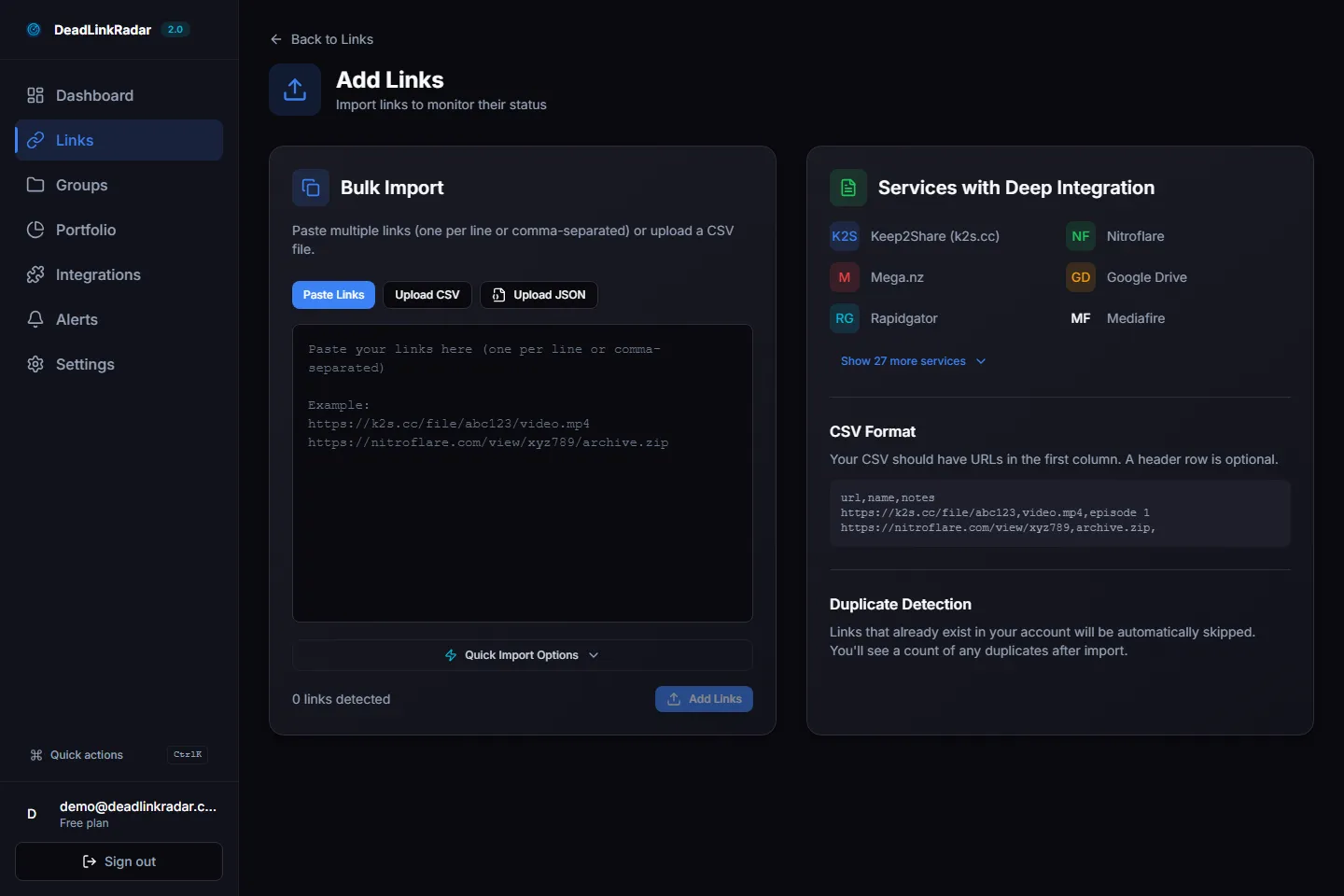
Bulk importing affiliate URLs into DeadLinkRadar (click to view full size)
Pro tip: Export your affiliate links from your CMS or affiliate dashboard first. Most WordPress affiliate plugins let you export a CSV of all tracked links.
Step 2: Organize by Network
Group your links by affiliate network so you can quickly identify which partnerships are affected when something breaks.
Create groups for each network you work with:
- Amazon Associates — Product links, bounty links, seasonal promotions
- ShareASale — Merchant-specific links grouped by advertiser
- CJ Affiliate — Deep links, banner links, text links
- Impact — Brand partnerships, sponsored content links
- Direct programs — Any merchant-specific affiliate programs
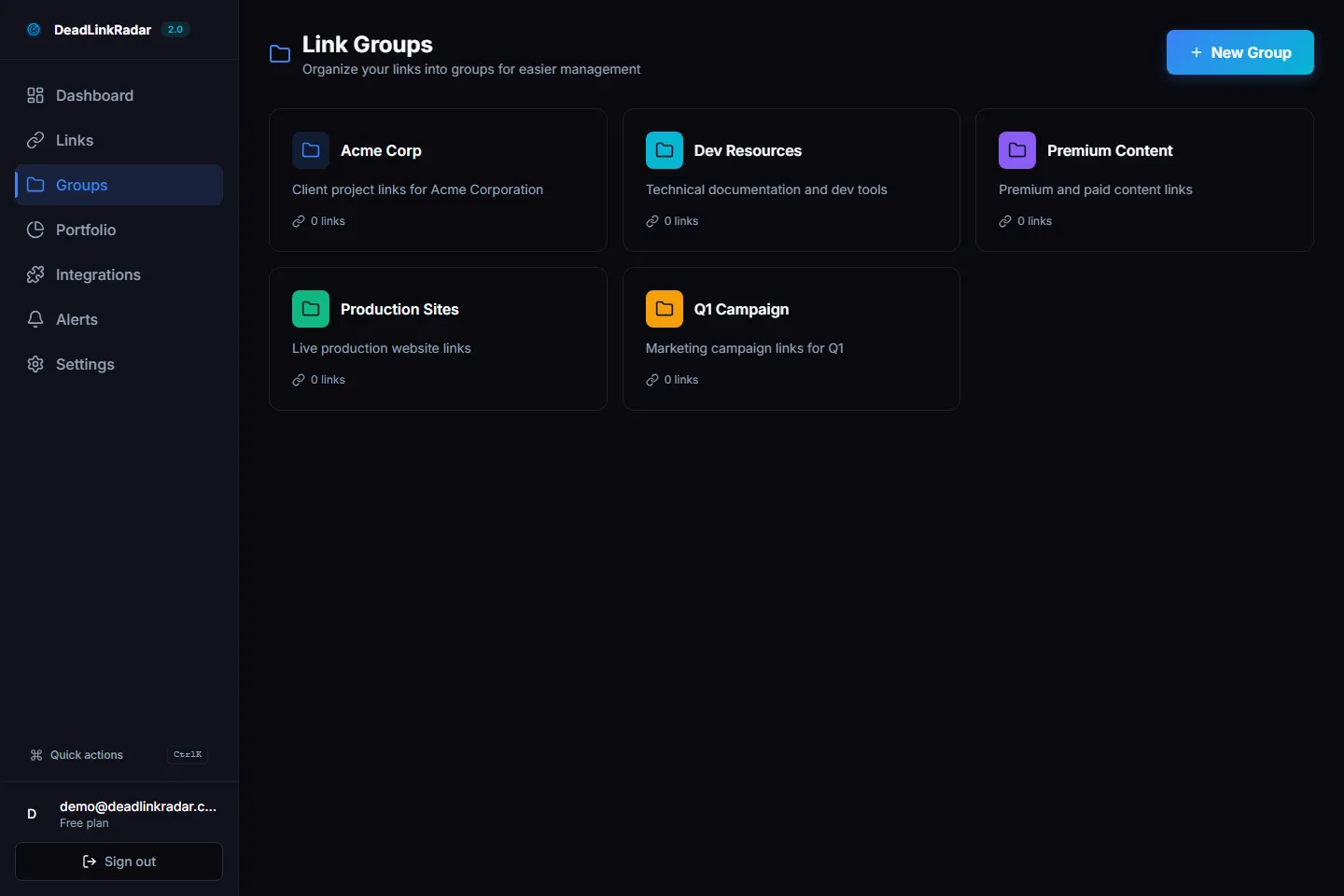
Links organized into groups by affiliate network (click to view full size)
This organization pays off immediately when a network has an outage or makes changes. Instead of scanning every link, you can check the affected group and assess the damage in seconds.
Step 3: Set Your Check Frequency
Not all affiliate links need the same monitoring frequency. Match the check schedule to the link's revenue impact:
| Link Type | Suggested Frequency | Why |
|---|---|---|
| Top 10 earners | Hourly | These links generate most of your revenue — catch breaks fast |
| Active product reviews | Every 6 hours | Moderate traffic, meaningful revenue |
| Roundup posts | Daily | Many links, moderate individual impact |
| Archive content | Weekly | Low traffic, but still worth monitoring |
DeadLinkRadar handles the scheduling automatically. Set your preferred frequency and the system checks each link on schedule, flagging anything that changes.
Step 4: Configure Alerts
The whole point of monitoring is finding out about problems before your readers do. Set up alerts so you get notified the moment something breaks.
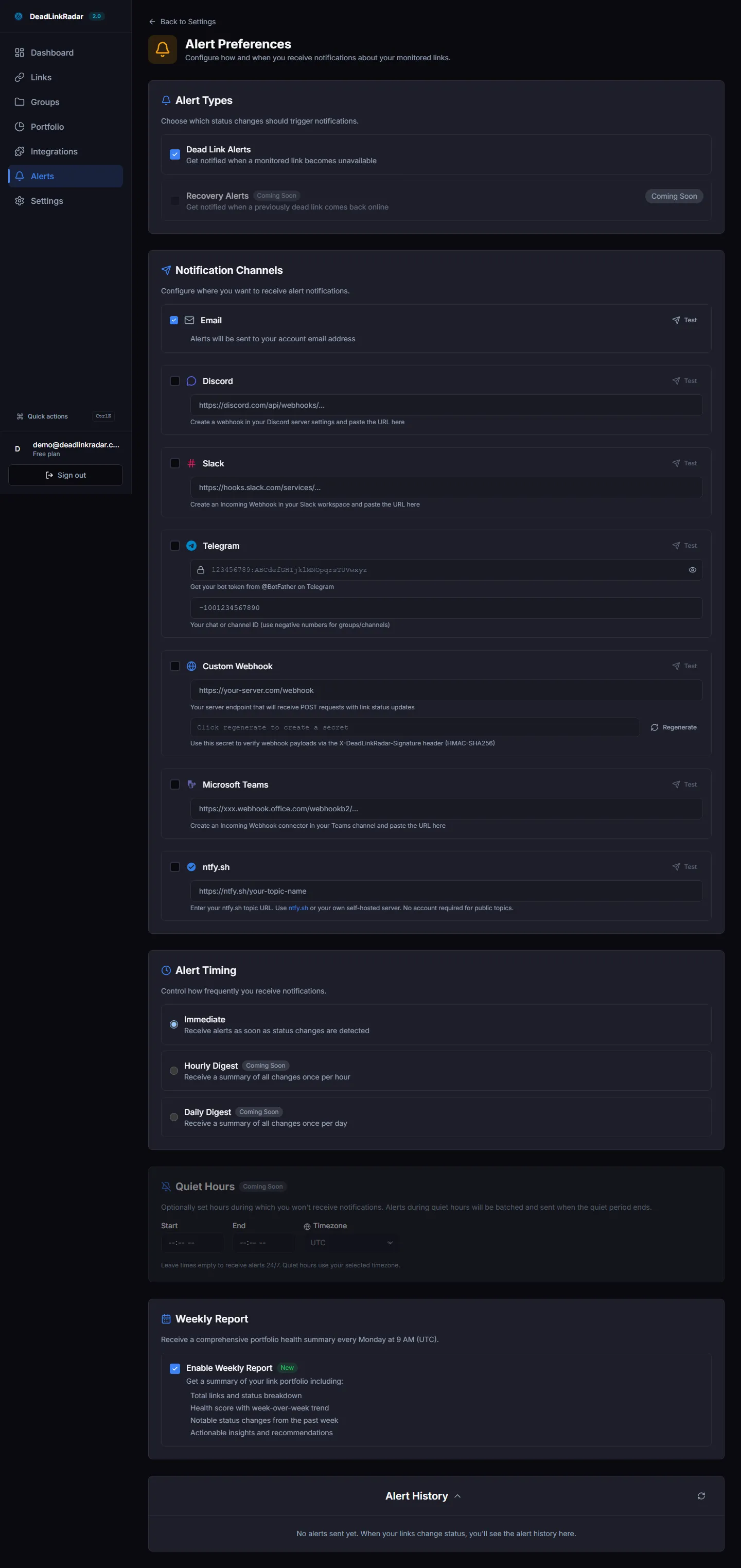
Configuring alert notifications for broken affiliate links (click to view full size)
Recommended alert setup for affiliate marketers:
- Email alerts for all dead links — your primary notification channel
- Discord or Slack webhook for critical links — instant notification for your top earners
- Weekly digest for overall health summary — spot trends before they become problems
The goal is getting notified fast enough to fix the link before significant revenue is lost. For high-traffic pages, even a few hours of downtime costs money.
Best Practices for Affiliate Link Monitoring
Once your monitoring is set up, these practices help you get the most value from it.
1. Prioritize by Revenue Tier
Not every broken link is equally urgent. Tag your links with revenue tiers and focus your response time accordingly:
- Tier 1 (top 20% of revenue): Fix within hours. These are your "best of" posts, cornerstone reviews, and highest-converting pages. Set hourly checks and instant alerts.
- Tier 2 (middle 60%): Fix within 24 hours. These links earn steady commissions but aren't your biggest earners. Daily checks and email alerts work fine.
- Tier 3 (bottom 20%): Fix within a week. Archive content, older reviews, low-traffic pages. Weekly checks and digest summaries.
2. Set Up Tiered Alerts
Match your alert channels to the urgency level. Getting a Discord ping at 2 AM for a broken link in an archive post creates alert fatigue. Getting an email digest about your top earner being down for 3 days is too slow.
- Instant (Discord/Slack): Tier 1 links only
- Email: Tier 1 and Tier 2 links
- Weekly digest: Everything, including Tier 3
3. Check Links Before Promoting
Before you share a blog post on social media, send it in a newsletter, or run ads to it, verify that all the affiliate links in that post are working. A broken affiliate link in a promoted post is money you're actively spending to not earn.
Run a manual check on the specific links in any post you're about to promote. It takes 30 seconds and can save you the entire ad spend.
4. Schedule Seasonal Audits
Some affiliate link failures are predictable:
- January: Holiday gift guide links expire after Q4 promotions end
- After Prime Day / Black Friday: Deal-specific links die
- Q1 each year: Merchants restructure catalogs and drop products
- After network migrations: Check all links on that network immediately
Build these audits into your content calendar so they happen automatically.
5. Keep Replacement Links Ready
For your highest-earning links, maintain a backup. Know which alternative product or merchant you'd switch to if the primary link breaks. When you get an alert about a Tier 1 link failure, you want to swap the replacement in immediately rather than spending time researching alternatives while revenue bleeds.
A simple spreadsheet with "Primary Link → Backup Link → Backup Merchant" for your top 20 earners saves hours of scrambling.
Protect Your Revenue Starting Today
Broken affiliate links are a solvable problem. The math is straightforward: the cost of monitoring is a fraction of the revenue you lose from even one undetected broken link.
Here's what to do next:
- Sign up for DeadLinkRadar — the free tier lets you monitor up to 50 links
- Import your highest-earning affiliate links first — start with your Tier 1 earners
- Set up email alerts — get notified the moment a link breaks
- Expand to full coverage — add the rest of your affiliate links over time
Every day without monitoring is a day you might be losing commissions without knowing it. The setup takes 10 minutes. The peace of mind lasts as long as you're earning affiliate revenue.
Looking for more ways to protect your content? Check out our guides on setting up broken link alerts and organizing links with groups.