
You just migrated your site to a new CMS. Everything looks perfect. Then you notice page load times creeping up. Users start bouncing. Google Search Console shows declining rankings.
The culprit? Redirect chains—invisible performance killers where one redirect triggers another, then another. Each hop adds 100-400ms of latency your users feel but can't see. Meanwhile, search engines are bleeding away your SEO authority with every bounce.
A single 301 redirect is harmless. But when oldsite.com/page redirects to newsite.com/page, which redirects to www.newsite.com/page, which redirects to newsite.com/blog/page—you've just wasted half a second and 27% of your link equity. Your Core Web Vitals tank. Your conversions drop.
Broken link checkers and link monitoring tools can detect when links start redirecting, alerting you before chains accumulate. This guide shows you how redirect chains form, exactly how much they cost in performance and SEO, and the step-by-step process to check for broken links in redirect chains and eliminate them before they damage your rankings.
What Are Redirect Chains? (Dead Link Checker Basics)
A redirect chain occurs when a URL redirects to another URL, which redirects to yet another URL, forming a multi-hop path before reaching the final destination. Broken link checkers detect these chains by following redirects and measuring response times.
A → B → C → D (final destination)Here's what this looks like in practice when you request oldsite.com/product:
$ curl -IL oldsite.com/product

HTTP/1.1 301 Moved Permanently
Location: newsite.com/product

HTTP/1.1 301 Moved Permanently
Location: www.newsite.com/product

HTTP/1.1 301 Moved Permanently
Location: www.newsite.com/products/item

HTTP/1.1 200 OK
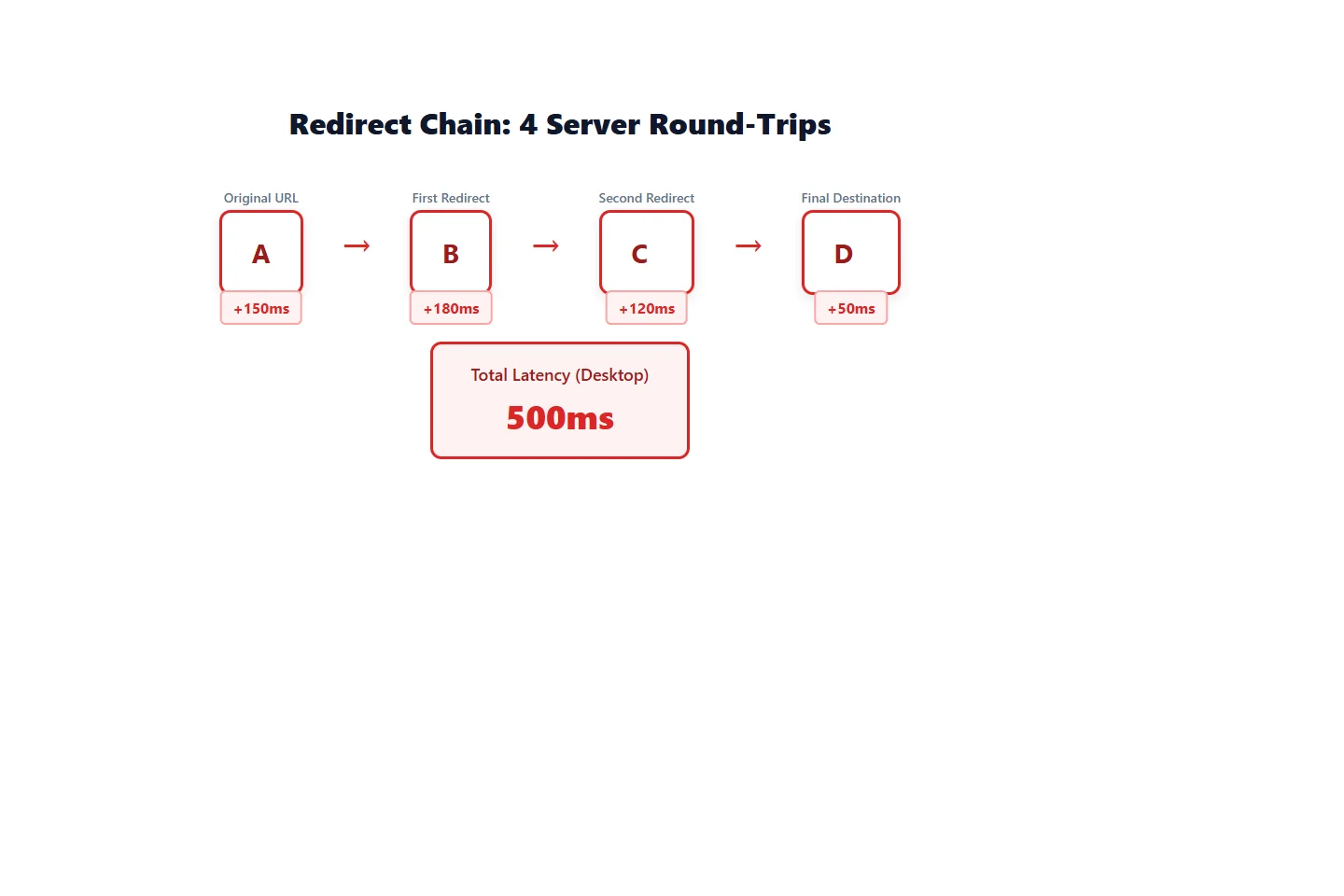
Four server round-trips just to load one page.
| Pattern | Hops | What Happens |
|---|---|---|
| Single redirect | 1 | A → B (200 OK) |
| Redirect chain | 2+ | A → B → C → D (200 OK) |
| Redirect loop | ∞ | A → B → A (never resolves) |
Why they happen: Redirect chains typically form during site migrations, CMS changes, or when multiple URL consolidation rules stack on top of each other. A developer adds HTTP→HTTPS redirects, then another adds www consolidation, then a third changes the URL structure—suddenly you have a 3-hop chain nobody intended.
How Redirect Chains Hurt Page Speed
Every redirect hop adds round-trip latency between the browser and server. This delay is invisible in browser DevTools but devastating to user experience.
Latency per hop:
- Desktop (broadband): 100-150ms per hop
- Mobile (4G): 150-250ms per hop
- Mobile (3G): 200-400ms per hop
| Connection Type | 1 Hop | 2 Hops | 3 Hops | 4 Hops |
|---|---|---|---|---|
| Desktop | 100ms | 200ms | 300ms | 400ms |
| Mobile 4G | 200ms | 400ms | 600ms | 800ms |
| Mobile 3G | 300ms | 600ms | 900ms | 1200ms |
Impact on Core Web Vitals:
Redirect chains delay the Largest Contentful Paint (LCP) metric—one of Google's primary ranking signals. Your browser can't start downloading the actual page content until it resolves all redirects.
Example: Your product page has great LCP (1.8s) when accessed directly. But 60% of traffic hits an old URL with a 3-hop redirect chain. Now their LCP is 2.3s (mobile 4G) or 2.7s (3G)—pushing you into the "needs improvement" range.
Real-world case: An e-commerce site migrated from Shopify to WooCommerce, then added Cloudflare CDN. Old product URLs went through this chain:
shopify-store.com/products/widget
  → woocommerce-store.com/products/widget (150ms)
  → cdn.woocommerce-store.com/products/widget (120ms)
  → cdn.woocommerce-store.com/shop/widget (180ms)
Total delay: 450ms before page load even starts
Mobile users on 3G saw page loads exceed 4 seconds. Bounce rate jumped 18%.
The SEO Cost of Redirect Chains
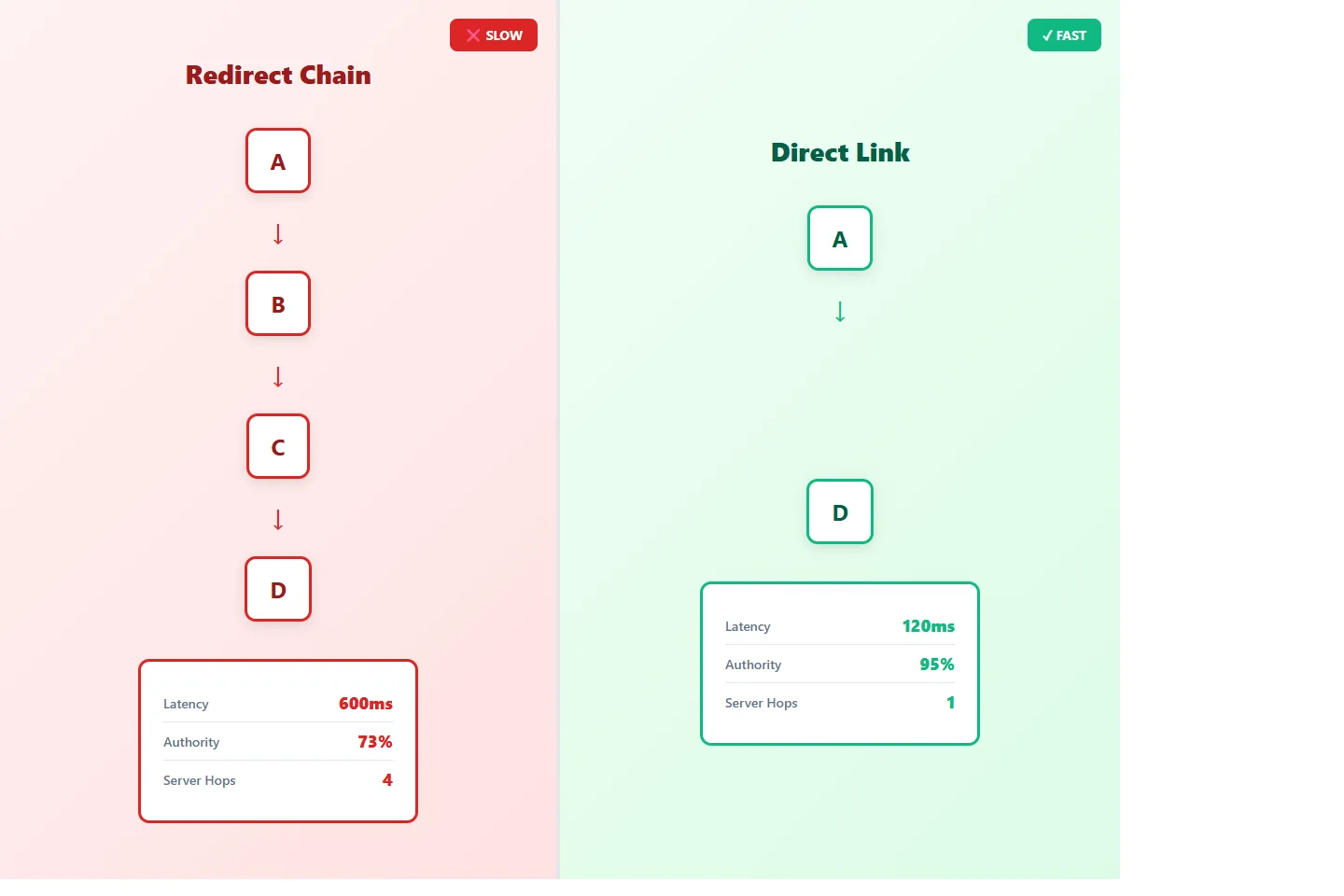
Search engines pass link equity (ranking authority) through 301 redirects, but not perfectly. Each hop in a chain leaks authority.
Link equity math (widely accepted estimates):
- Single 301 redirect: Passes 90-95% of authority
- 2-hop chain: 81% authority preserved (90% × 90%)
- 3-hop chain: 73% authority preserved (90% × 90% × 90%)
- 4-hop chain: 66% authority preserved
| Redirect Hops | Authority Preserved | Authority Lost |
|---|---|---|
| 0 (direct link) | 100% | 0% |
| 1 hop | 90-95% | 5-10% |
| 2 hops | 81% | 19% |
| 3 hops | 73% | 27% |
| 4 hops | 66% | 34% |
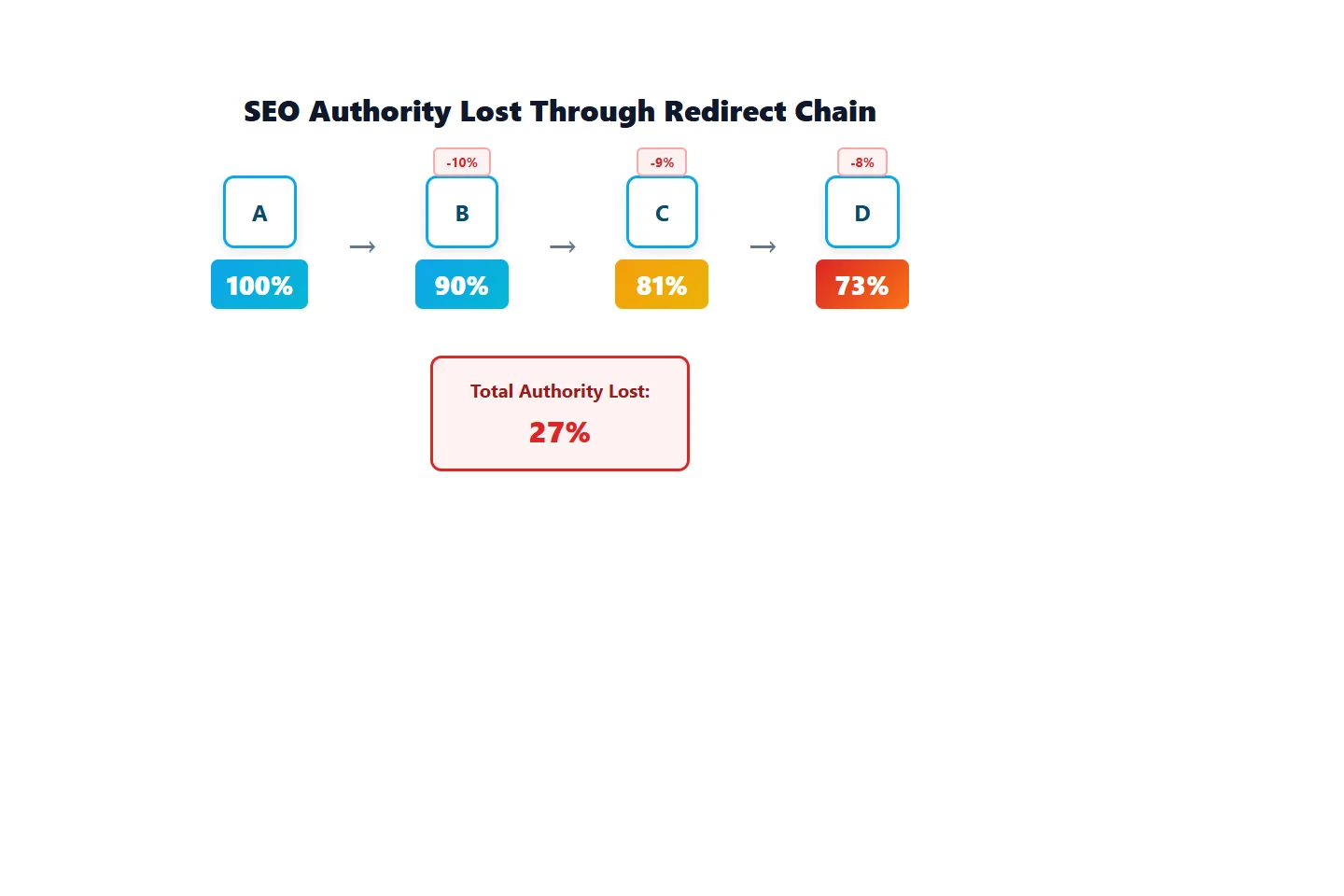
Example: Your affiliate blog has 500 backlinks pointing to an old product review URL. That URL has a 3-hop redirect chain to the new location. You're effectively wasting 135 backlinks worth of authority (27% of 500).
Crawl budget impact:
Search engines allocate a limited "crawl budget" for your site—a maximum number of pages they'll crawl per day. Redirect chains waste this budget on multiple requests for the same content.
If Googlebot has a daily budget of 10,000 URLs but encounters 4,000 redirect chains averaging 2.5 hops, it burns 10,000 requests just on redirects—leaving zero for new or updated content.
Case study: Affiliate site consolidation
An affiliate marketer consolidated three niche sites into one domain. Poor redirect planning created chains like:
site-a.com/review → main-site.com/review (temp redirect from DNS)
  → main-site.com/reviews/product (URL structure change)
  → www.main-site.com/reviews/product (www consolidation)
Results over 6 months:
- Organic traffic: -23% (expected +15% from consolidation)
- Average position: dropped 4.2 spots
- Lost an estimated $8,400/month in affiliate revenue
Fixing the chains and implementing direct redirects recovered most traffic within 3 months.
Why Redirect Chains Form
Redirect chains rarely happen intentionally. They accumulate over time as different systems layer redirects on top of each other.
1. Multiple Migrations
Scenario: You migrate from WordPress to Shopify, then later to a custom platform.
old-wordpress.com/blog/post
  → shopify-store.com/blogs/news/post (migration 1)
  → custom-platform.com/blog/post (migration 2)
Each migration adds a redirect layer. The first migration's redirects stay in place, creating chains.
2. Link Shorteners + Tracking
Scenario: You use a link shortener for social media, then add analytics tracking.
bit.ly/promo
  → yoursite.com/promo (shortener redirect)
  → yoursite.com/promo?utm_source=twitter (analytics redirect)
  → www.yoursite.com/promo?utm_source=twitter (www redirect)
Three hops to track one click.
3. Protocol + Subdomain Consolidation
Scenario: Site-wide HTTPS migration followed by www standardization.
http://site.com/page
  → https://site.com/page (HTTPS redirect)
  → https://www.site.com/page (www redirect)
Common pattern, but 2x slower than a single redirect to the canonical URL.
4. CDN Migrations
Scenario: Moving from one CDN provider to another without updating redirect rules.
cdn-old.com/assets/image.jpg
  → cdn-new.com/assets/image.jpg (CDN migration)
  → www.yoursite.com/assets/image.jpg (CDN deprecation)
5. CMS URL Structure Changes
Scenario: Changing permalink structure in WordPress or another CMS.
/2024/01/15/post-title (date-based URLs)
  → /blog/post-title (category-based URLs)
  → /content/post-title (another restructure)
Each URL structure change adds a redirect, but previous redirects aren't updated to point directly to the final destination.
How to Detect Redirect Chains (Check for Broken Links)
Redirect chains hide in plain sight. Users experience slow page loads but don't know why. Dead link checkers and monitoring tools help expose them by tracking status changes and response times. Here's how to check for broken links and redirect chains.
Manual Detection: Browser DevTools
Step 1: Open Chrome DevTools (F12) → Network tab
Step 2: Check "Preserve log" to see all requests
Step 3: Navigate to the URL you want to test
Step 4: Look for multiple 301/302 status codes in sequence
Example output:
oldsite.com/page         301  150ms
newsite.com/page         301  180ms
www.newsite.com/page     301  120ms
www.newsite.com/blog/page 200  350ms
Total: 800ms before content loads
Manual Detection: curl Command
Command:
curl -IL https://oldsite.com/pageFlags:
-I: Fetch headers only (faster than full page)-L: Follow redirects- Output shows every hop with status code and timing
Example output:
HTTP/1.1 301 Moved Permanently
Location: https://newsite.com/page

HTTP/1.1 301 Moved Permanently
Location: https://www.newsite.com/page

HTTP/1.1 200 OK
Count the 301 lines before 200 OK—that's your chain length.
Online Tools
| Tool | Pros | Cons |
|---|---|---|
| Redirect Mapper | Visual chain diagram | Limited free checks |
| httpstatus.io | Shows response time per hop | No bulk checking |
| Screaming Frog | Crawls entire site | Desktop app required |
Automated Monitoring with Broken Link Checkers
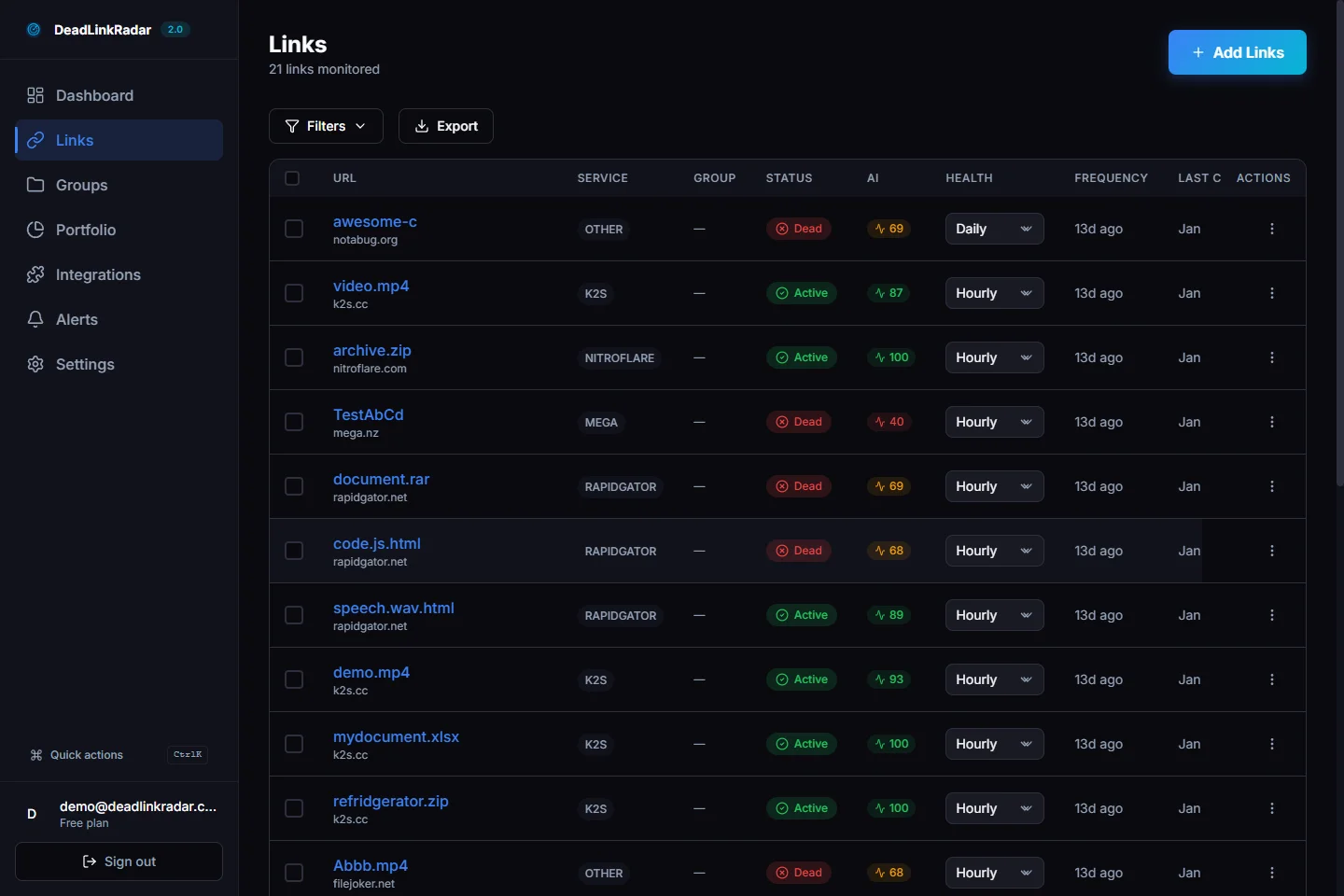
Broken link checkers and link monitoring services like DeadLinkRadar detect when links start redirecting and alert you to investigate.
What gets monitored:
- Status code changes:
200 OK→301 Moved Permanently - Response time spikes: Sudden +300ms increase signals potential chain
- Link health degradation: Working link becomes slow redirect
Limitation: Most dead link checkers (including DeadLinkRadar) detect that a redirect exists and measure response time, but don't automatically count hops or show the full chain. When you receive a "link started redirecting" alert, use curl or DevTools to diagnose the chain manually.
Why this matters: Redirect chains often form gradually. A link works fine for months, then a migration adds a hop. Without a broken link checker monitoring continuously, you won't notice until users complain about slow pages.
| Detection Method | Speed | Depth | Best For |
|---|---|---|---|
| Browser DevTools | Fast | Single URL | Manual testing |
| curl | Fast | Single URL | Scripting, automation |
| Online tools | Medium | 10-100 URLs | Small sites |
| Broken link checker | Continuous | All monitored links | Proactive alerts |
Fixing Redirect Chains
Once you've identified redirect chains, consolidating them requires careful planning to avoid breaking links or creating new issues.
Step 1: Audit All Redirects
For nginx:
grep -r "return 301" /etc/nginx/sites-enabled/
grep -r "rewrite.*permanent" /etc/nginx/sites-enabled/
For Apache (.htaccess):
grep -r "Redirect 301" /var/www/
grep -r "RedirectPermanent" /var/www/
Export to spreadsheet:
| Source URL | Destination URL | Status | Hops |
|---|---|---|---|
| oldsite.com/page | newsite.com/page | 301 | 1 |
| newsite.com/page | www.newsite.com/page | 301 | 2 |
Step 2: Map Chain Endpoints
For each redirect, trace the final destination by following all hops with curl:
curl -IL oldsite.com/page | grep -E "HTTP|Location"Identify the terminal URL (the one returning 200 OK).
Step 3: Consolidate Redirects
Before (2-hop chain):
# /etc/nginx/sites-enabled/default
server {
  # First redirect
  rewrite ^/old-page$ /new-page permanent;

  # Second redirect (somewhere else in config)
  rewrite ^/new-page$ /final-page permanent;
}
After (direct redirect):
server {
  # Consolidated: old URL → final destination directly
  rewrite ^/old-page$ /final-page permanent;
  rewrite ^/new-page$ /final-page permanent;
}
Before (Apache .htaccess):
Redirect 301 /old-page /new-page
Redirect 301 /new-page /final-page
After:
Redirect 301 /old-page /final-page
Redirect 301 /new-page /final-page
Step 4: Update Internal Links
Search your codebase for references to old URLs:
grep -r "oldsite.com/page" /var/www/html/Update links to point directly to the canonical URL. This eliminates redirects entirely for internal navigation.
Step 5: Test with Timing
After deploying changes, verify redirects are direct:
time curl -IL https://oldsite.com/pageExpected output:
HTTP/1.1 301 Moved Permanently
Location: https://newsite.com/final-page

HTTP/1.1 200 OK

real  0m0.18s  ← Single hop latency
Compare to pre-fix timing (should be 2-3x faster).
Step 6: Monitor for Regressions with a Dead Link Checker
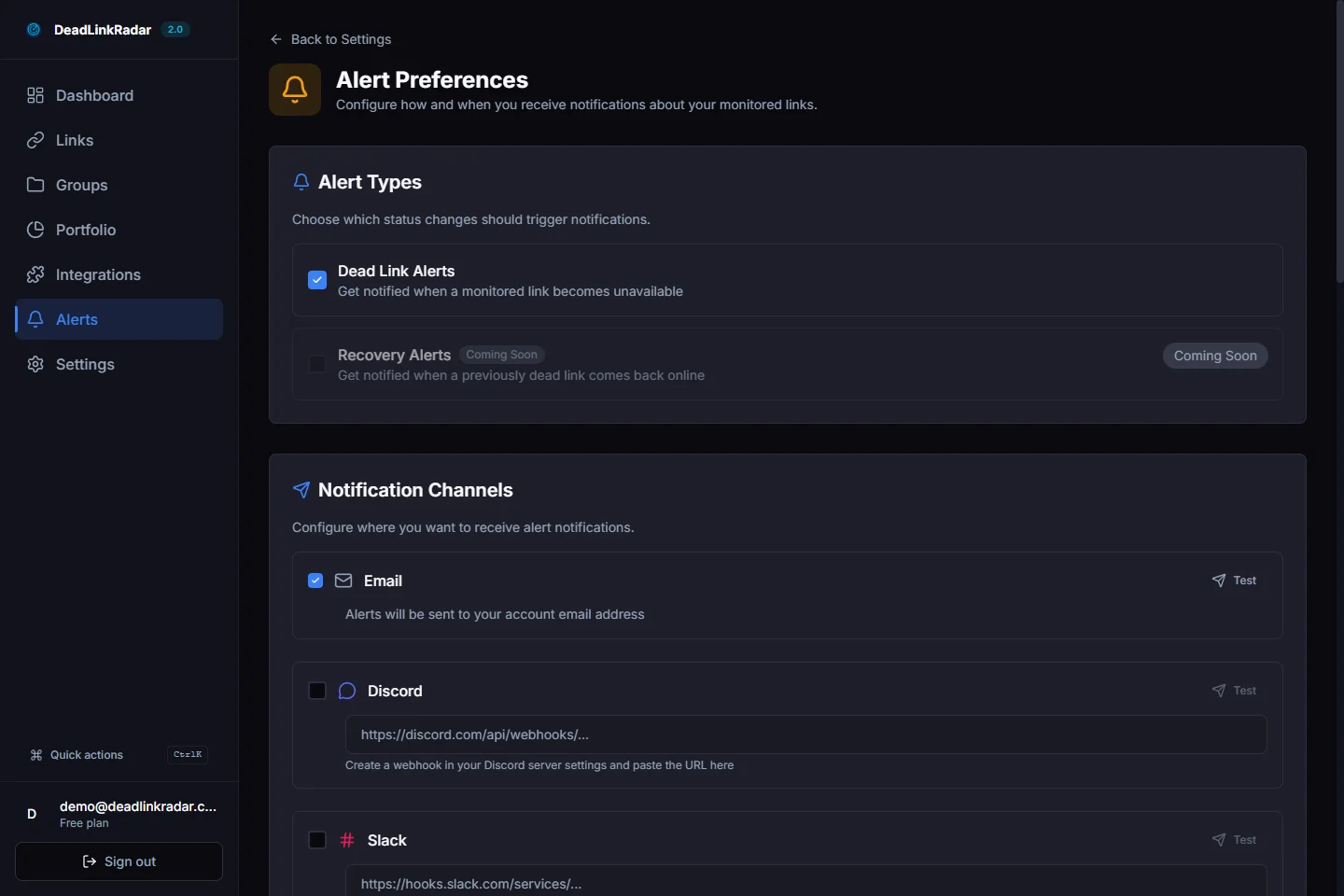
Set up alerts for status code changes and response time spikes on your most important URLs. Redirect chains can reappear during future migrations or configuration changes. A broken link checker provides continuous monitoring to catch new chains as they form.
Common mistake: Updating redirects in one config file but missing duplicates in another (e.g., nginx server blocks + .htaccess fallback). Always grep the entire web root.
Redirect chains are silently killing your page speed and SEO. A broken link checker detects when links start redirecting and alerts you before chains form. Check for broken links continuously to protect your Core Web Vitals. Start monitoring 50 links free →
Preventing Redirect Chains
The best redirect chain is one that never forms. Build prevention into your workflow:
1. Pre-Migration Redirect Planning
Before migrating URLs:
- Map old URLs to new URLs in a spreadsheet
- Identify existing redirects that will be affected
- Plan to update those redirects to point directly to new URLs
- Test redirects in staging with curl before deploying
Example checklist:
- Exported current redirect rules
- Mapped all URL changes (old → new)
- Updated redirect rules to skip intermediate hops
- Tested 20 sample URLs with curl timing
- Verified no chains in staging environment
2. Redirect Governance Policy
Establish a rule: Never create redirects to URLs that themselves redirect.
Enforcement:
- Document all redirect additions in a changelog
- Require curl test showing single-hop redirect in PR reviews
- Automate redirect chain detection in CI/CD pipeline
Example automation (GitHub Actions):
- name: Check for redirect chains
  run: |
    ./scripts/check-redirects.sh
    # Fails CI if any redirect chain detected
3. Quarterly Redirect Audits
Schedule recurring audits to catch accumulated chains:
Audit script (bash):
#!/bin/bash
# check-redirects.sh

URLS="urls-to-check.txt"

while read url; do
  hops=$(curl -ILs "$url" | grep -c "HTTP/1.1 30")
  if [ "$hops" -gt 1 ]; then
    echo "⚠️  CHAIN: $url ($hops hops)"
  fi
done < "$URLS"
Run quarterly:
bash check-redirects.sh > redirect-audit-$(date +%Y-%m-%d).txt4. Link Shortener Best Practices
If using link shorteners (bit.ly, short.io), configure them to redirect directly to canonical URLs—not to intermediate tracking pages.
Bad:
bit.ly/promo → yoursite.com/promo → www.yoursite.com/promoGood:
bit.ly/promo → www.yoursite.com/promo (direct)5. Test Migrations in Staging
Before deploying URL structure changes:
- Run full site crawl in staging with Screaming Frog
- Filter for redirect chains (Status Code = 301, count chains)
- Fix all chains before production deploy
6. Document Redirect History
Maintain a changelog of redirect changes with rationale:
## 2026-02-05: CDN Migration
- Moved static assets from cdn-old.com to cdn-new.com
- Updated 47 redirects to point directly to new CDN
- Verified no chains with curl audit

## 2026-01-12: HTTPS Migration
- Implemented HTTPS redirects site-wide
- Consolidated with existing www redirects (prevented chains)
This helps future maintainers understand the redirect landscape and avoid creating conflicts.
Prevention is easier than fixing. A broken link checker provides the foundation by alerting you when redirects appear, allowing immediate investigation. Check for broken links automatically to catch redirect chains early. Start monitoring free →
Real Example: Before/After
Company: E-commerce site selling outdoor gear (127 product URLs)
Problem: Site migrated from Magento to Shopify, then restructured category URLs. Product pages had 3-hop redirect chains:
magento-store.com/catalog/product/widget-123
  → shopify-store.com/products/widget-123 (migration)
  → shopify-store.com/collections/widgets/products/widget-123 (restructure)
  → www.shopify-store.com/collections/widgets/products/widget-123 (www)
Before fix:
- Average hops per product: 2.3
- Average redirect latency: 340ms (desktop), 680ms (mobile 4G)
- LCP (Largest Contentful Paint): 2.8s on mobile
- Crawl budget wasted: 38% of Googlebot requests on redirects
Fix applied:
- Identified all 127 product URLs with chains
- Updated Magento redirects to point directly to final Shopify URLs
- Removed intermediate redirects from Shopify config
- Updated internal links to canonical URLs
After fix:
- Average hops: 1.0 (direct redirects only)
- Average redirect latency: 120ms (desktop), 180ms (mobile 4G)
- LCP improvement: 2.8s → 2.4s (14% faster)
- Organic traffic: +12% over 2 months
- Crawl efficiency: Googlebot now crawls 41% more unique pages per day
Conversion impact:
- Faster page loads → lower bounce rate (58% → 53%)
- Better UX → higher conversion rate (+0.2 percentage points)
- Revenue impact: +$1,840/month from organic traffic alone
curl timing comparison:
Before:
$ time curl -IL magento-store.com/catalog/product/widget-123
real  0m0.58s  # 580ms total
After:
$ time curl -IL magento-store.com/catalog/product/widget-123
real  0m0.18s  # 180ms total (68% faster)
The fix took 6 hours of developer time. ROI: $1,840/month = $22,080/year from a one-time investment.
Take Control of Redirect Chains with a Broken Link Checker
Redirect chains accumulate quietly. A CMS plugin adds a redirect here, a CDN migration adds one there, a URL structure change adds another—suddenly you're bleeding 500ms of latency and 27% of your SEO authority on every page load.
The warning signs:
- Declining Core Web Vitals scores
- Slow page loads on URLs that used to be fast
- Organic traffic drops after migrations
- High bounce rates on specific pages
What to monitor with your dead link checker:
- Product pages (especially after migrations)
- Blog posts (URL structure changes)
- Documentation (consolidations)
- Affiliate links (tracking layers)
A broken link checker gives you the early warning system: status change alerts flag when links start redirecting, and response time tracking catches latency spikes before they hurt conversions. Check for broken links continuously to prevent chains before they damage your SEO.
Start monitoring 50 links free forever → No credit card required. Our dead link checker detects redirects before they become chains.