Partner
Resources
Logos, screenshots, copy templates, and pre-written social posts — everything you need to promote DeadLinkRadar effectively.
Brand Guidelines
Colors, naming conventions, and approved messaging
Color Palette
Naming & Messaging
- ✓Always write "DeadLinkRadar" as one word with capital D, L, and R
- ✓Use "AI-powered detection" — never reveal specific AI vendor or model names
- ✓Position as a tool for content creators, bloggers, and documentation teams
- ✓File hosting monitoring is a bonus feature, not the core value prop
- ✓Approved shorthand: "DLR" (in technical contexts only)







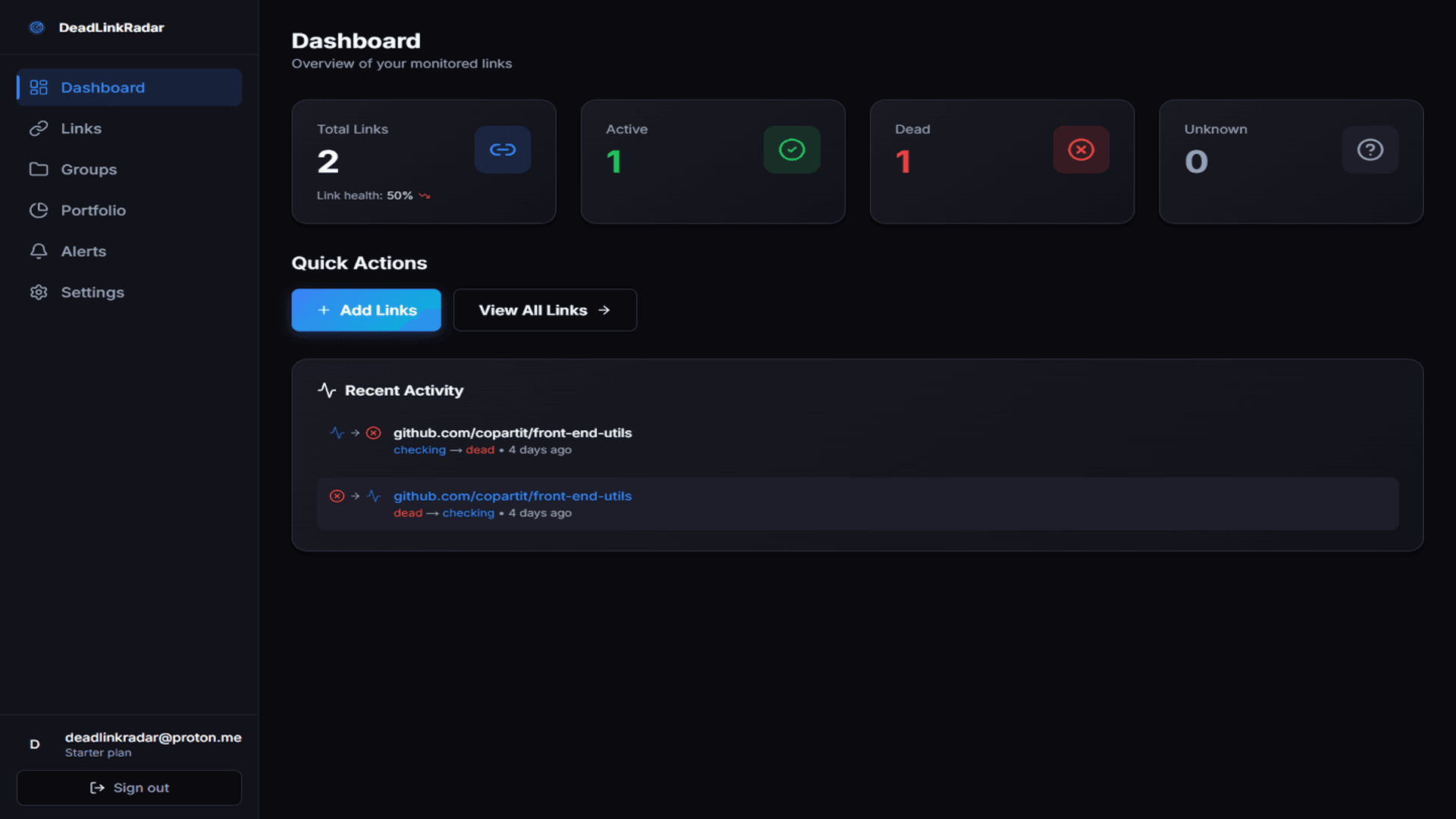
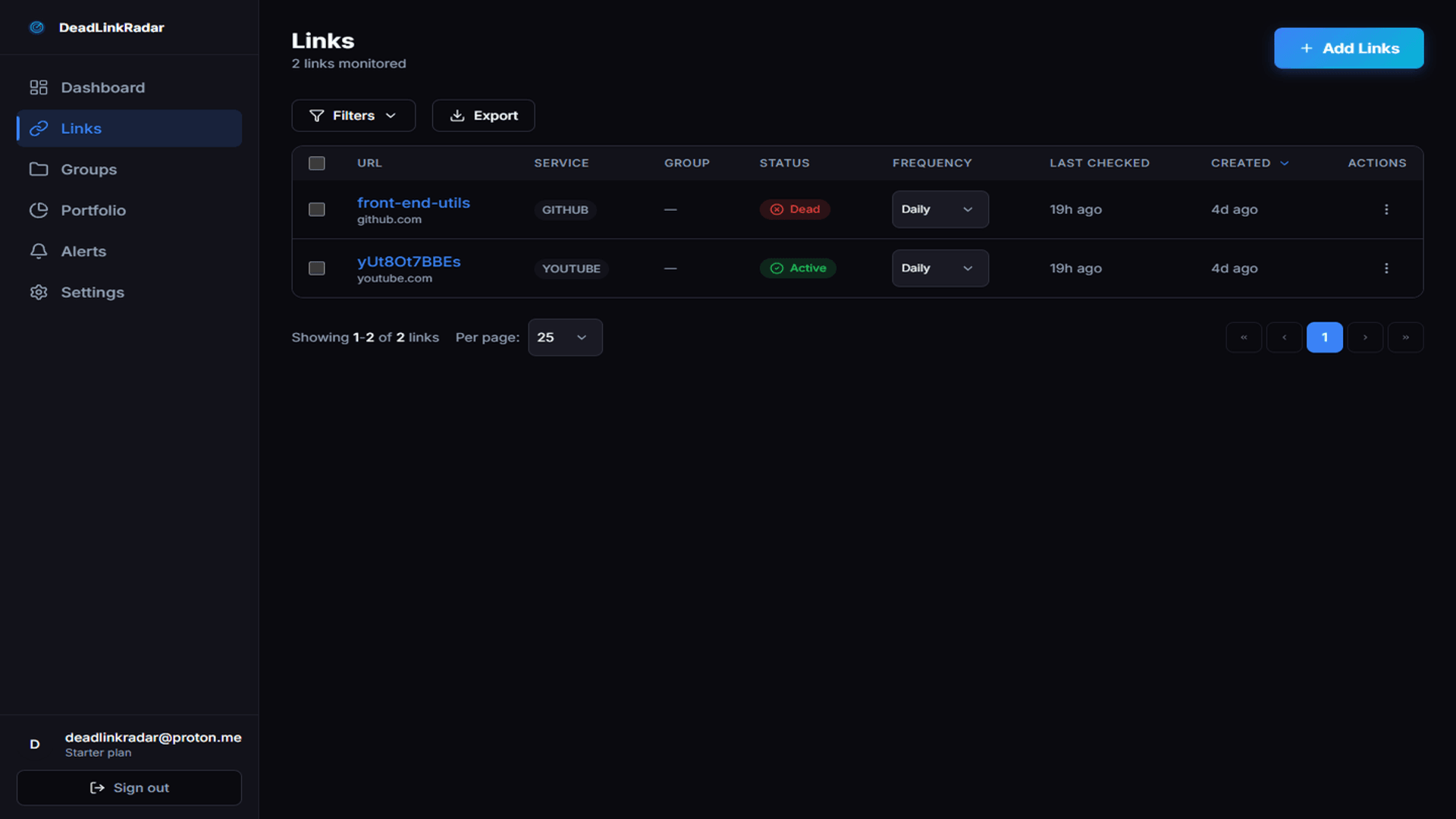
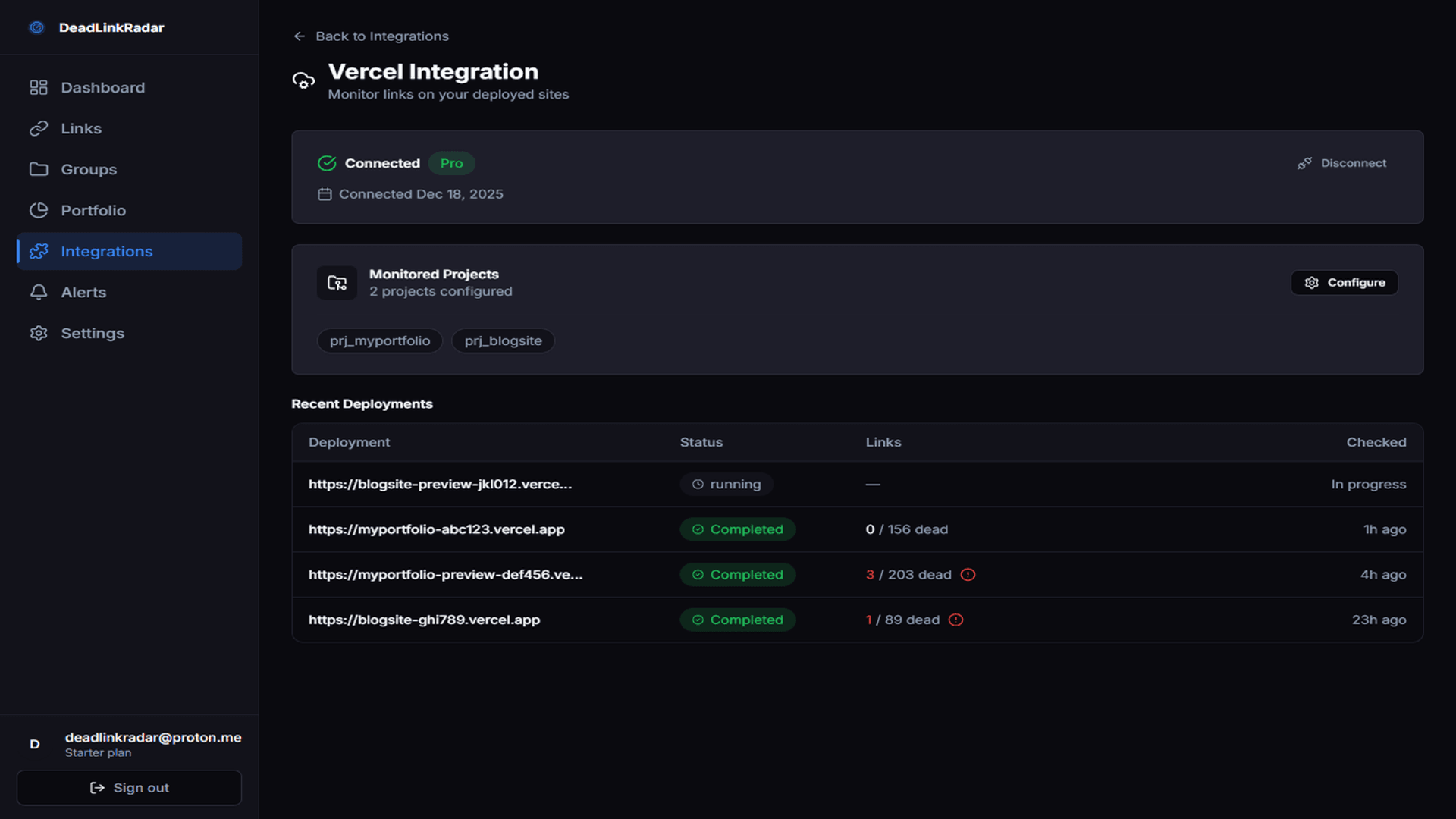
Banner Ads
Standard ad sizes in light and dark variants for your website or blog


Usage Guidelines
- •Use the dark variant on light backgrounds, light variant on dark backgrounds
- •Always include your referral link (?via=YOURCODE) when linking to DeadLinkRadar
- •Do not modify banner content — use as-is to maintain brand consistency








Copy Templates
Ready-to-use product description for your blog posts and reviews
Product Description
DeadLinkRadar is an AI-powered broken link checker built for content creators, bloggers, and documentation teams. It detects soft-404s, login walls, and intermittent failures that other tools miss — protecting your SEO rankings and reader experience. Monitor unlimited URLs with real-time alerts, AI confidence scoring, and support for 38+ cloud and file hosting platforms.
Social Posts
Pre-written posts ready to share — just add your referral link
Broken links are silently killing your blog's SEO. DeadLinkRadar catches soft-404s and dead links that other tools miss — with AI-powered detection. Try it free:
I use DeadLinkRadar to monitor all the links on my site. It catches things Google Search Console doesn't — like login walls, soft-404s, and intermittent failures.
If you run a blog or docs site, broken links are costing you traffic. DeadLinkRadar monitors your links 24/7 and alerts you before readers find dead ends.
Just found 12 broken links on my site that I had no idea about. DeadLinkRadar's AI detection caught soft-404 pages that look fine but return errors to crawlers.
Stop losing readers to dead links. DeadLinkRadar monitors your content 24/7, detects issues other tools miss, and sends instant alerts. Free plan available.
Comparison Table
How DeadLinkRadar stacks up — use this in your reviews
| Feature | DeadLinkRadar | Ahrefs | Screaming Frog | Free Tools |
|---|---|---|---|---|
| Starting Price | Free / $9 mo | $99/mo | $259/yr | Free |
| Soft-404 Detection | AI-powered | Basic | Manual rules | No |
| Continuous Monitoring | Yes (24/7) | Scheduled crawls | Manual only | No |
| Real-time Alerts | Email, Slack, Discord | Email only | No | No |
| AI Confidence Scoring | Yes | No | No | No |
| File Host Monitoring | 38+ platforms | No | No | No |
| Setup Time | < 2 minutes | 10+ minutes | Install + configure | Varies |
Referral Links
How to use your unique referral link for tracking
Get your referral link
Sign up at deadlinkradar.getrewardful.com/signup to get your unique ?via= referral link.
Add to your content
Append ?via=YOURCODE to any deadlinkradar.com URL. Example: deadlinkradar.com/pricing?via=YOURCODE
Track conversions
Monitor clicks, signups, and earnings in your Rewardful partner dashboard in real time.
Get paid
Earn 20% recurring commission on every payment. Payouts via Stripe with no minimum threshold.
Example Referral URLs
deadlinkradar.com?via=YOURCODEdeadlinkradar.com/pricing?via=YOURCODEdeadlinkradar.com/signup?via=YOURCODEReady to Promote?
Join the partner program, grab your referral link, and start sharing these materials with your audience today.