
Your link checker says HTTP 200 OK. But the Amazon product shows "Currently Unavailable." The YouTube video loads, but the content is private. The file hosting page returns a perfect response—except the download was removed three weeks ago.
Traditional broken link checkers see "200 OK" and move on. Meanwhile, your revenue silently bleeds. Your readers click dead links. Your SEO rankings decay. And you have no idea because every automated report says everything is fine.
Today we're launching AI Link Intelligence—a new layer of detection that reads pages like a human would, catching the dead links that status codes alone can never reveal.
Why Status Codes Aren't Enough
HTTP status codes were designed in the 1990s. They tell you whether a server responded—not whether the content is actually useful. A server returning HTTP 200 simply means "I successfully served you a page." It says nothing about what's on that page.
This creates a massive blind spot. Here are real scenarios where status codes lie:
| Scenario | HTTP Status | Reality |
|---|---|---|
| Amazon product discontinued | 200 OK | "Currently Unavailable" message |
| YouTube video set to private | 200 OK | "Video unavailable" player |
| File hosting download removed | 200 OK | "File has been deleted" notice |
| Blog post redirected to homepage | 200 OK | Original content is gone |
| Documentation page behind login wall | 200 OK | Login form, not the docs |
| Product page showing "Out of Stock" | 200 OK | No purchase possible |
Every one of these links would pass a traditional broken link check with flying colors. Your checker sees HTTP 200 and marks them green. Your readers see dead content and leave.
Pattern-based detection catches roughly 80% of these cases by scanning for common "not found" phrases. But patterns are brittle—they break when sites change their wording, use different languages, or display errors in unexpected ways. That gap between 80% and comprehensive detection is where real damage happens.
For a deep dive into why soft-404s are so dangerous, see our complete guide: Soft 404s: Why Your Broken Link Checker Misses Them.
How AI Link Intelligence Works
DeadLinkRadar now goes beyond status codes and pattern matching. AI Link Intelligence analyzes the actual content of every suspicious page, reading it the way a human reviewer would.
Here's the process:
-
Standard check first. Every link gets a normal HTTP status check and basic pattern scan. If the link returns a clear 404 or 500 error, we flag it immediately—no AI needed.
-
Smart escalation. When a link returns HTTP 200 but our system detects something suspicious (unusual redirect chains, content patterns, or known problematic domains), the page gets escalated for AI analysis.
-
Deep content analysis. Our AI reads the page content and evaluates whether the link actually delivers what it promises. It understands context, not just keywords.
-
Confidence scoring. Every analyzed link receives a confidence score from 0 to 100, telling you exactly how certain the AI is about its assessment.
The AI doesn't just search for "404" or "not found" on the page. It understands nuance:
- Soft-404s — Pages that load but show "page not found" content in any format
- Login walls — Content hidden behind authentication that wasn't there before
- Redirect bait-and-switch — Pages that silently redirect to a homepage or generic landing page
- "Product unavailable" notices — E-commerce pages where the item no longer exists
- Removed file notices — File hosting pages that confirm the download was deleted
- Paywall blocks — Previously free content now locked behind payment
AI Link Intelligence detection flow (click to view full size)
The two-stage approach keeps things fast. Most links resolve instantly with a standard check. Only the ambiguous cases get the deeper analysis—so you get comprehensive coverage without slowing down your monitoring.
AI Confidence Scores: Know How Sure We Are
Every link analyzed by AI Link Intelligence gets a confidence score. This isn't a binary "broken or not"—it's a nuanced assessment that tells you exactly how certain the AI is about the link's status.
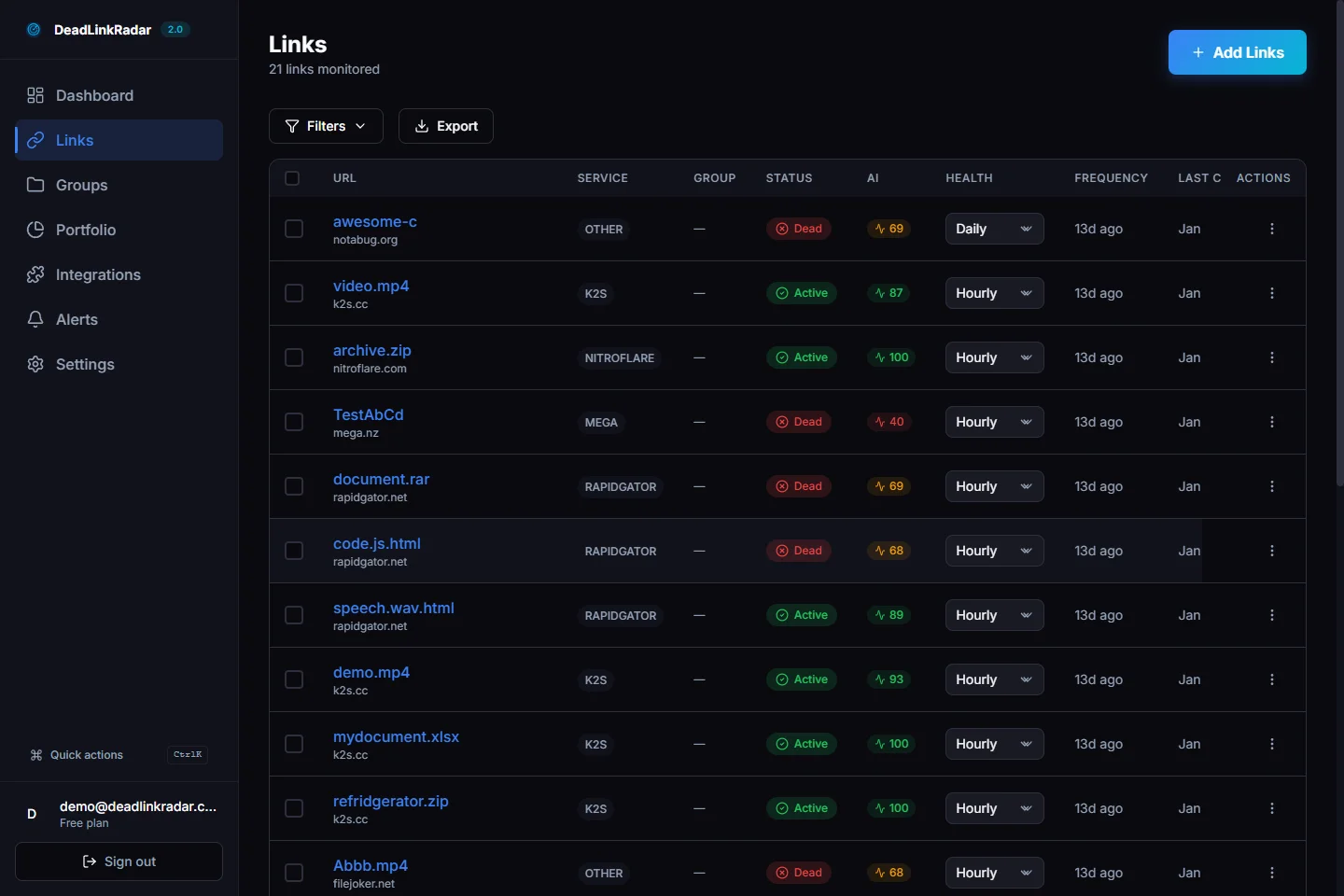
Scores are color-coded in your dashboard for instant visibility:
| Score Range | Badge | Meaning |
|---|---|---|
| 80–100 | High (green) | AI is highly confident in its assessment |
| 50–79 | Medium (yellow) | AI detected potential issues worth reviewing |
| 0–49 | Low (red) | AI flagged something suspicious, needs human review |
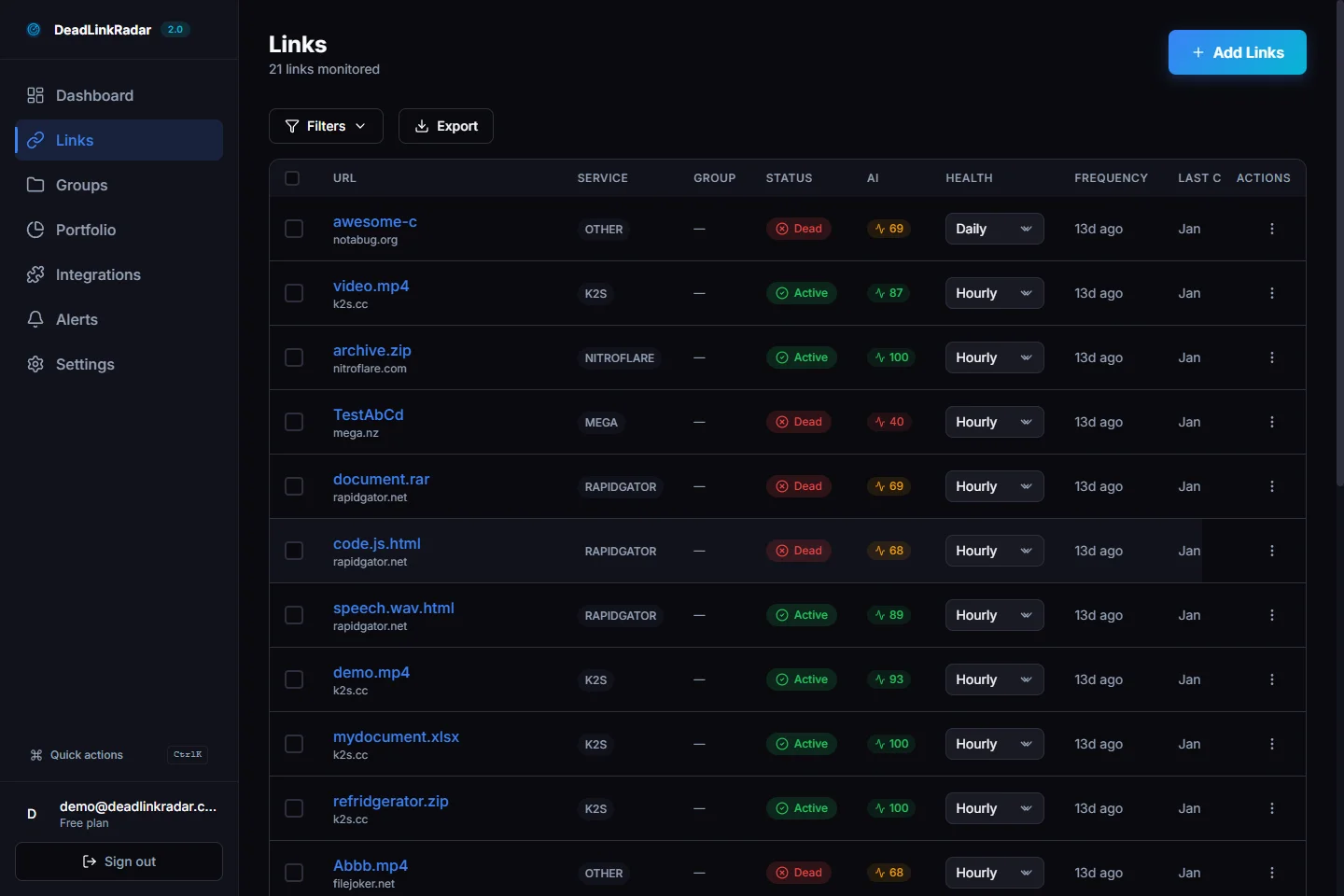
AI confidence badges in the links list (click to view full size)
You can sort your entire link list by AI confidence, putting the most suspicious links at the top. And with the new filter dropdown, you can view only the links that need attention:

Filter links by AI confidence level (click to view full size)
This means you can focus your attention where it matters most. Instead of manually reviewing hundreds of links, filter to "Low confidence" and review only the ones the AI flagged as genuinely suspicious.
Real-World Examples
Here's what AI Link Intelligence catches that traditional checkers miss:
Example 1: The "Unavailable" Product
You're an affiliate blogger linking to an Amazon product. The product gets discontinued, but Amazon doesn't return a 404—they show a "Currently Unavailable" page with a 200 status. Your old checker says the link is fine. Your commission payments stop, and you don't know why.
AI Link Intelligence reads the page, sees "Currently Unavailable," and flags it as a dead link. You get notified. You update the link. Revenue restored.
Example 2: The Removed Download
You run a tech blog linking to software downloads on file hosting services. The file gets removed for a DMCA violation. The hosting page still loads with a 200 status, but now it shows "This file has been removed." Your checker reports all green.
AI Link Intelligence detects the removal notice and flags the link. You find an alternative download source before your readers hit a dead end.
Example 3: The Silent Redirect
A documentation site you link to reorganizes their content. Instead of proper redirects, they send all old URLs to their homepage via JavaScript. The HTTP status is 200, the page "loads," but the specific documentation you linked to is gone.
AI Link Intelligence recognizes the content mismatch between what the link promised and what the page delivers. It flags the redirect as suspicious so you can update the reference.
These aren't edge cases—they're the most common ways links die on the modern web. And they're completely invisible to any checker that only looks at status codes.
What's Coming Next
AI Link Intelligence is just the beginning. Here's a preview of what we're building next:
Link Intent Classification. Our AI will understand the purpose of each link—whether it's an affiliate product, documentation reference, social media profile, or embedded media. This lets us prioritize monitoring based on business impact. A dead affiliate link matters more than a broken social profile.
Natural Language Rules. Define monitoring rules in plain English. "Alert me immediately if any Amazon product link shows unavailable." "Flag any documentation link that redirects to a login page." Your monitoring rules, your language.
AI Fix Suggestions. When a link dies, AI will suggest replacement URLs. Found a discontinued product? Here are three alternatives still in stock. Documentation page moved? Here's the new URL. You'll spend less time hunting for replacements and more time creating content.
We're building the most intelligent link monitoring platform—not just the fastest scanner.
Try It Free
Ready to see what your current link checker is missing? AI Link Intelligence is available today for all DeadLinkRadar users.
If you're already a DeadLinkRadar user, AI analysis is running on your links now. Head to your dashboard and look for the new AI confidence badges.
For more on how broken links affect your site, check out our complete guide: How to Find and Fix Broken Links.
Questions? Reach us at support@deadlinkradar.com.